
System configuration
Browse typed system settings, draft-review-publish flow, apply modes, and the admin gate.
Menu: System configuration (/system-configuration). Only main / admin can access; other roles are redirected to the namespace page.
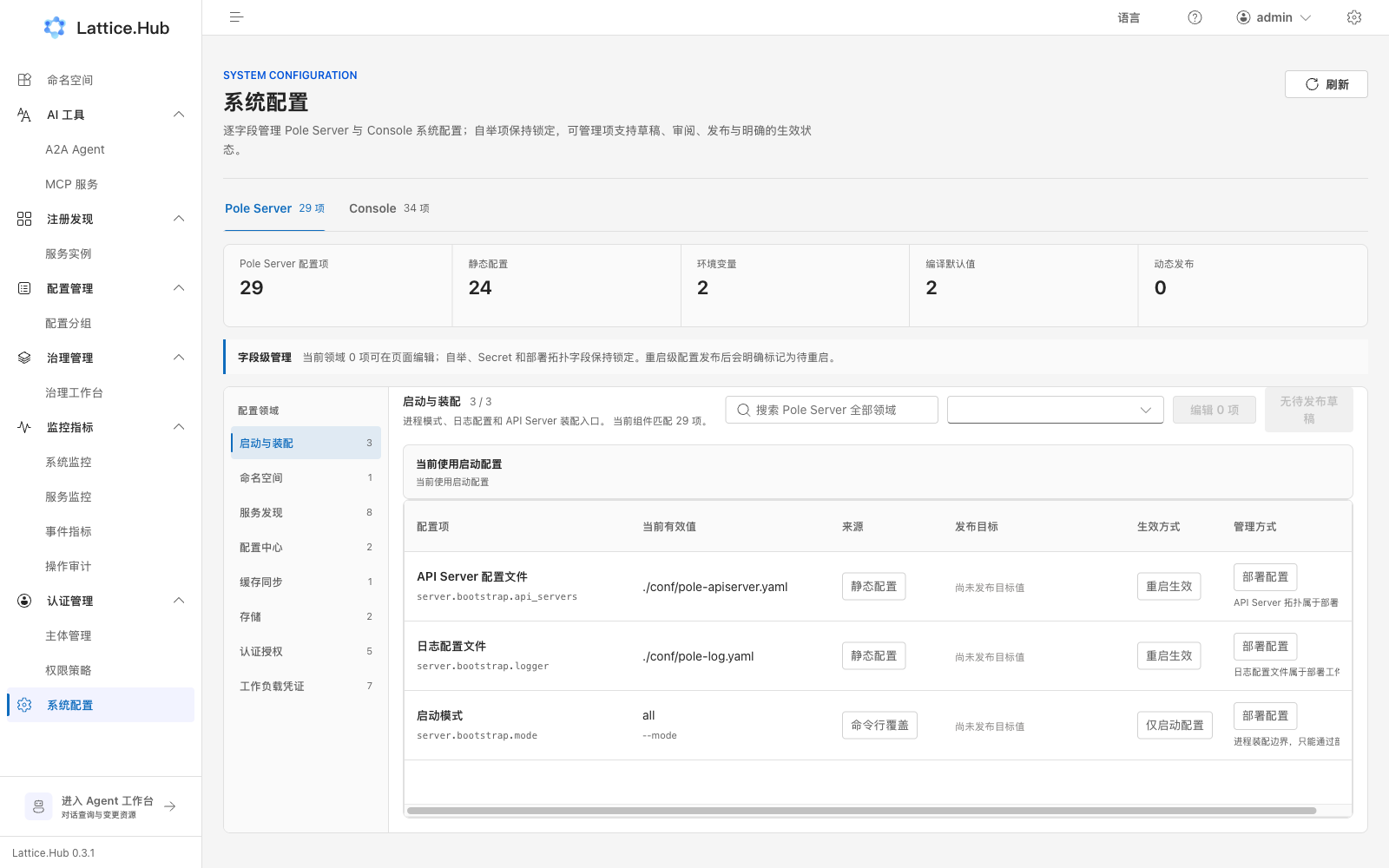
Page structure
- Top switch:
Pole Server/Console. - Browse by domain: bootstrap/assembly, namespaces, discovery, configuration, cache sync, storage, auth, workload credentials, logging, runtime, upstream, observability queries, Agent, and similar.
- Search and source filters locate items.
- Columns: setting, current effective value, source, publish target, apply mode, management mode (page-editable / deploy config).
Apply modes
| UI copy | Meaning |
|---|---|
| Bootstrap only | BootstrapOnly: change deploy/startup config only |
| Restart required | RestartRequired: publish desired value; instances marked pending restart |
| Hot reload | HotReload: hot-update when a safe applier exists |
| Guarded hot reload | GuardedHotReload: hot-update with extra guards |
On-screen guidance: bootstrap, secrets, and deploy-topology fields stay locked; restart-class settings are explicitly marked pending restart after publish.
Editable flow
For page-managed fields:
- Edit to create a draft.
- Review desired vs effective.
- Publish the desired value.
- Watch for hot reload or “pending restart”.
Do not read “desired published” as “every instance already effective”.
Agent domain
In Agent-related settings you can:
- Edit model / Gateway / MCP fields
- Run connection tests
- After publish, some items report hot-reloaded on the current instance
API keys and similar secrets are write-only: pages, diffs, logs, and model context show references only—never plaintext.
Relation to metrics
System configuration is control-plane parameters; runtime dashboards live under Metrics. Empty metrics without an observability stack does not mean system configuration failed.