
GuidesUsing the Console
Pole Agent workspace
Enter the Agent workspace via the sidebar mode switch for read-only queries and human-confirmed config drafts.
Pole Agent is not an item under sidebar “AI tools”. Enter from the separate bottom card “Enter Agent workspace”, path /agent. For registries see MCP services and A2A Agent.
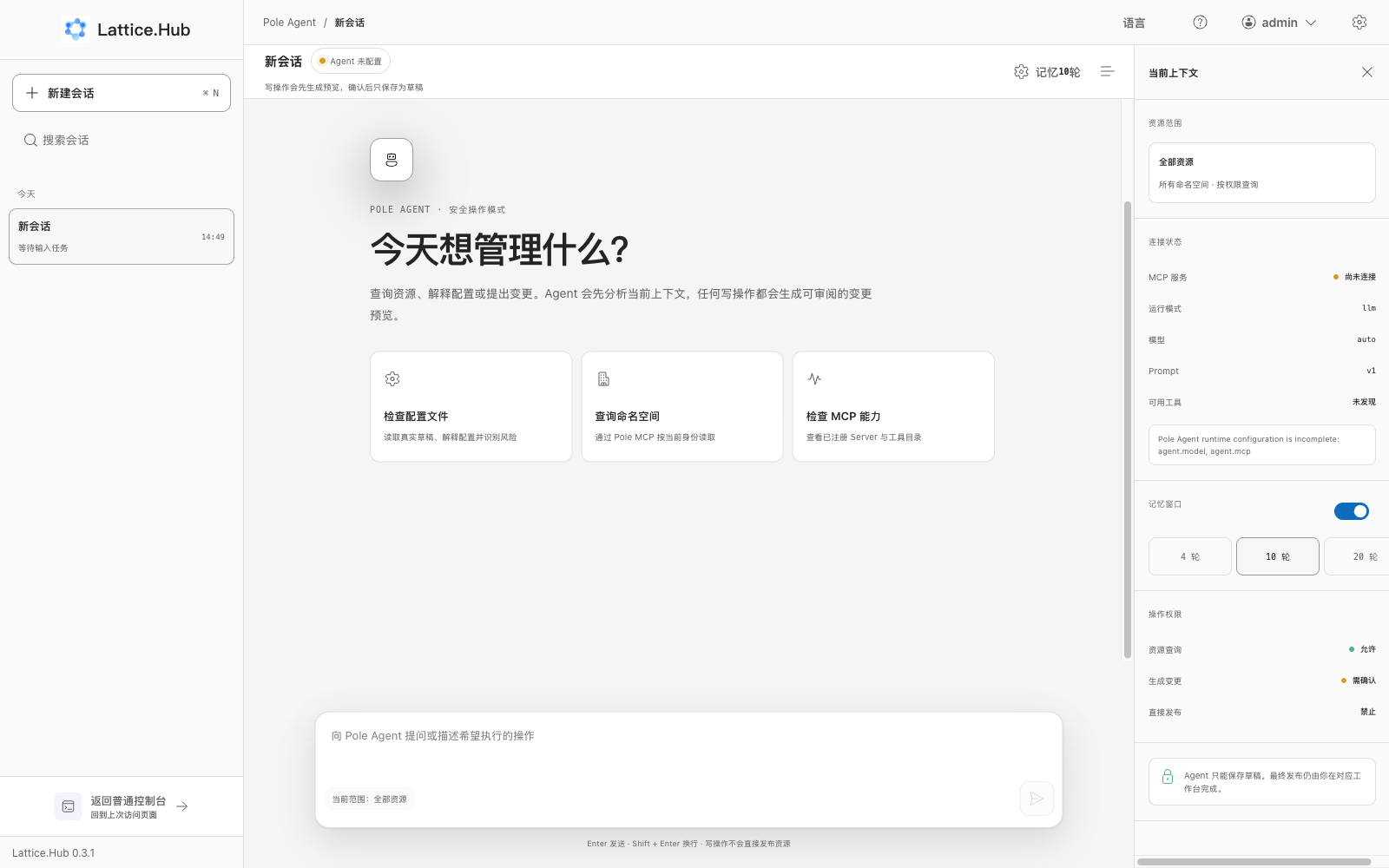
Enter / return
- In the normal Console, click the bottom sidebar card “Enter Agent workspace”.
- Or click “Hand to Agent” on a config file (carries namespace/group/name context).
- Return with “Back to normal Console”.
There is no persistent “Agent” business menu—it is a separate workspace mode.
Steps
- Create or select a session (search; groups “Today / Yesterday / Earlier”).
- Ask for a read-only query or a config-change intent.
- Writes first show a change preview (“Awaiting confirmation”).
- After confirm, status becomes “Saved as draft”—no publish version, no immediate effect.
- Return to Configuration and publish that file.
On-screen safety copy states writes preview first, confirm saves drafts only, Enter sends / Shift+Enter newline, and writes do not publish resources directly.
Prerequisites and limits
- Configure LLM Gateway / API keys under System configuration or the entry stays unavailable.
- Write path today mainly covers updates to existing config files; governance writes are still evolving.
- MCP tools outside the whitelist are not callable (allowlisted tools still need MCP services registration).