
Services and environments
Manage namespaces, services, instances, aliases, subscriptions, and in-service governance entry points in the Console.
Menus: Namespaces, Discovery → Service instances. Stabilize environment and discovery before layering configuration and governance.
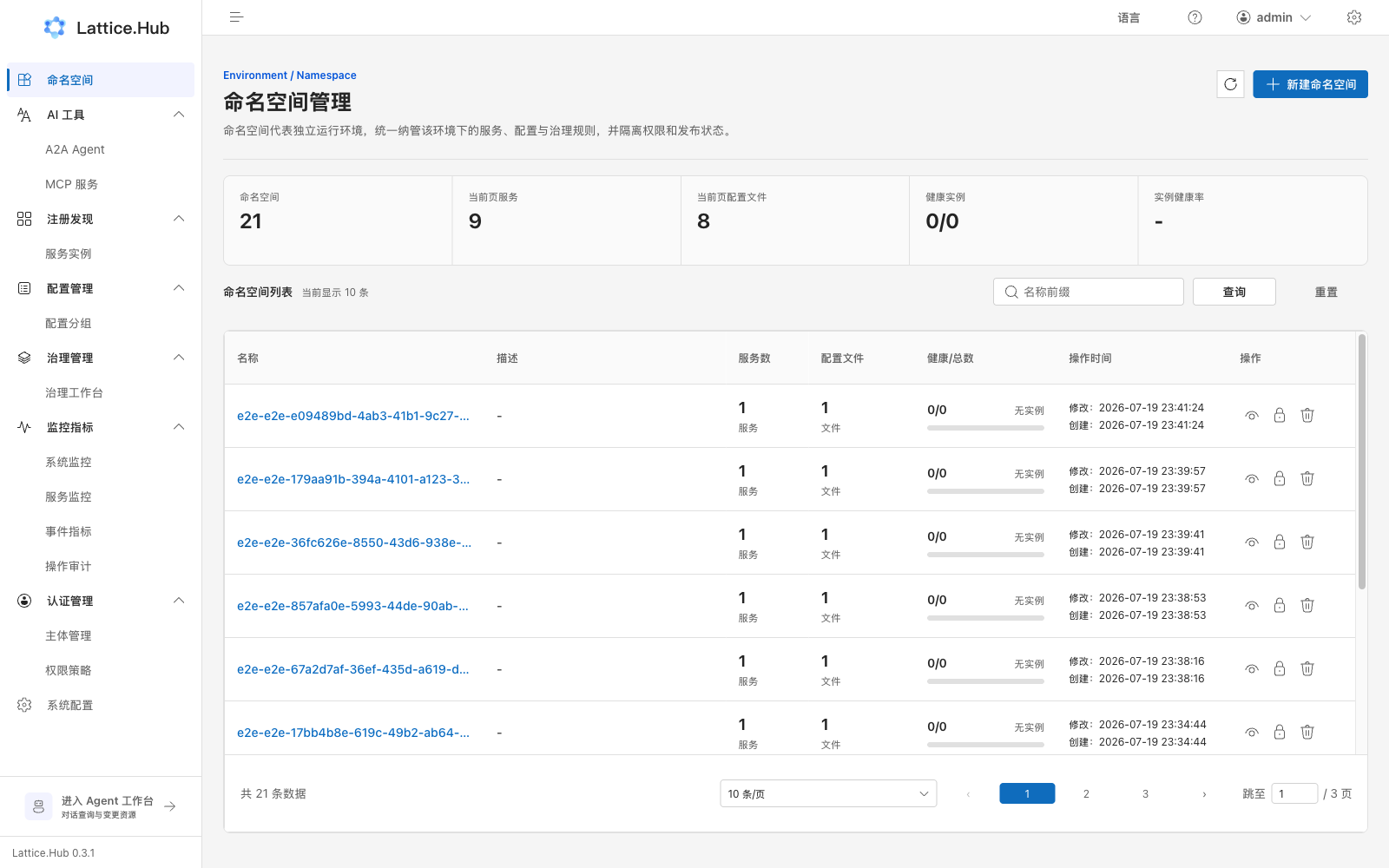
Namespaces
Path: sidebar “Namespaces” → /namespace.
What you can do
- View the list and summary metrics (namespaces, services, config files, healthy instances, and so on).
- Search by namespace name.
- Create namespace: name, description, labels.
- View / edit: description and labels (name is immutable after create).
- Authorize: open the resource-authorization drawer for that namespace.
- Delete: non-protected namespaces (requires permission).
Fields and constraints
| Item | Notes |
|---|---|
| Name | Digits, letters, ., -, _; max 128; immutable after create |
| Description | Prefer environment purpose or stage; max 1024 |
| Protected | default and pole-system (internal) cannot be deleted |
A Namespace is a runtime environment, not a tenant or team space.
Service list
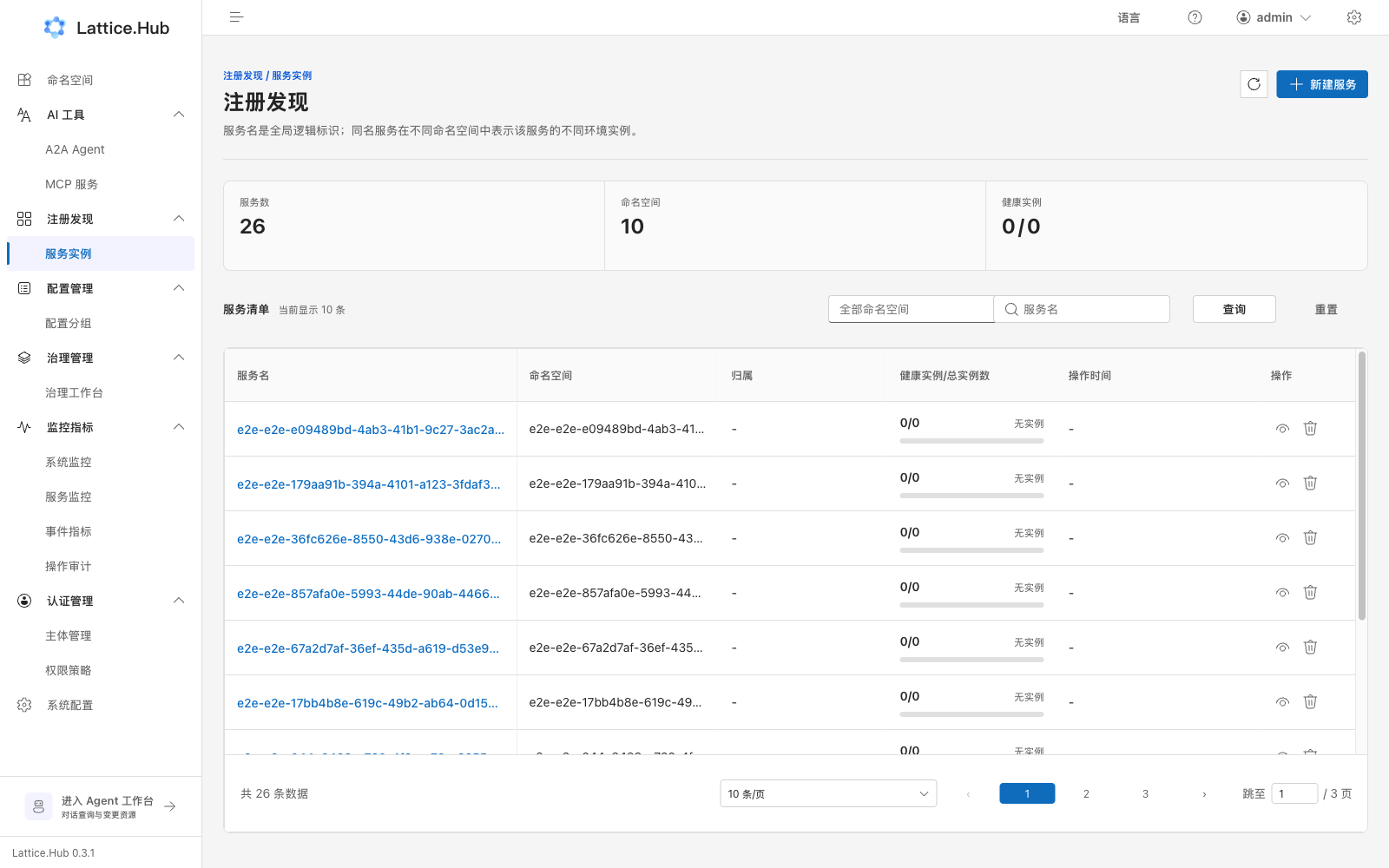
Path: sidebar “Discovery → Service instances” → /discovery/service.
Steps
- Filter by namespace and other criteria.
- Click “Create service” and fill in:
- Identity: namespace, service name (immutable after create), description
- Ownership: department, business
- Service labels
- After submit, open the service detail, or use “View / edit” from the list.
- Delete when needed (confirm dialog).
Five tabs on service detail
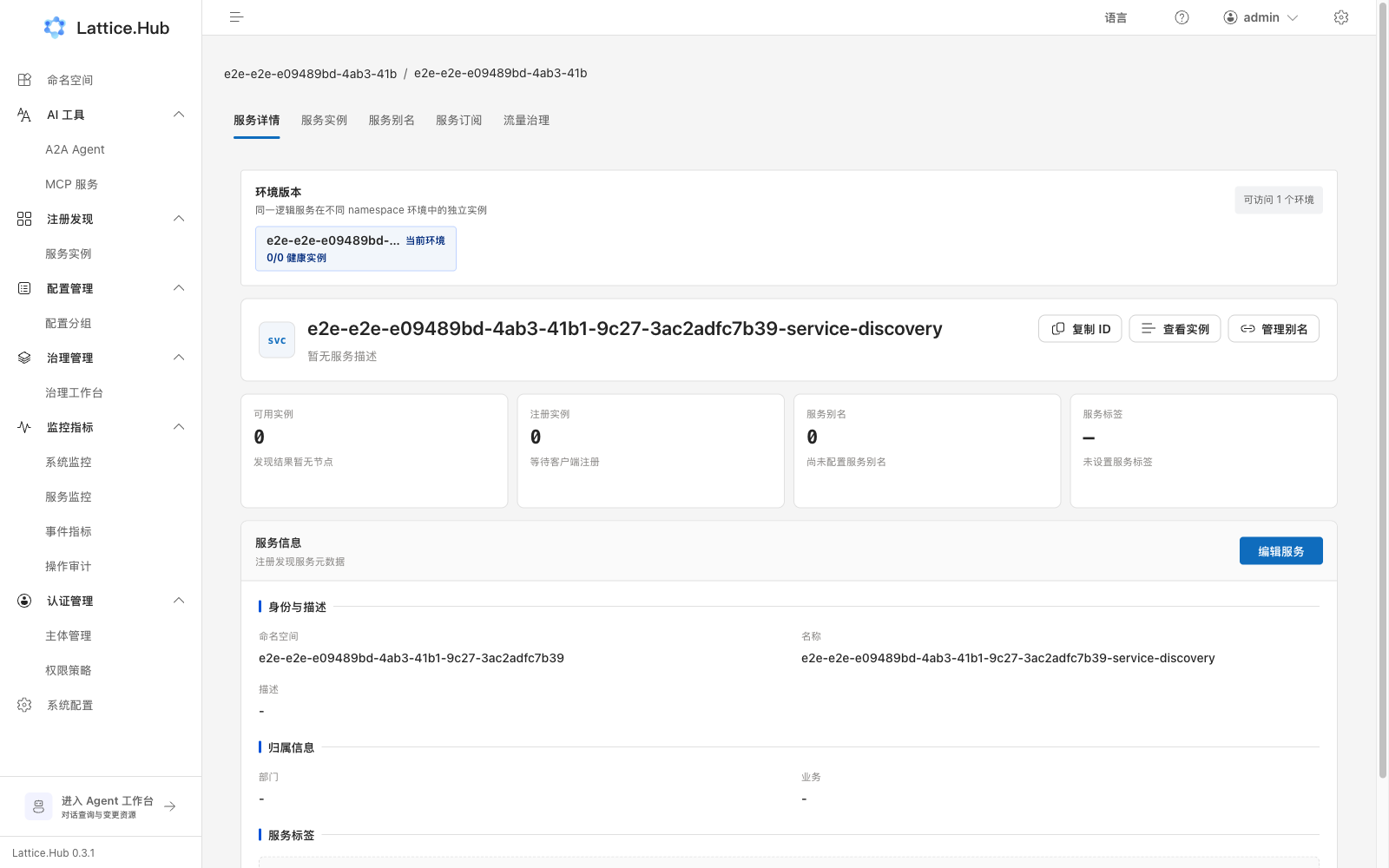
| Tab | Purpose |
|---|---|
| Service detail | Edit description, department, business, labels; copy service ID |
| Instances | Instance list and health checks |
| Aliases | Cross-namespace access aliases |
| Subscriptions | Who subscribes / is subscribed |
| Traffic governance | Embedded governance workbench filtered as caller/callee |
The page may also offer environment switching. Always confirm the current environment before acting.
Instances and health checks
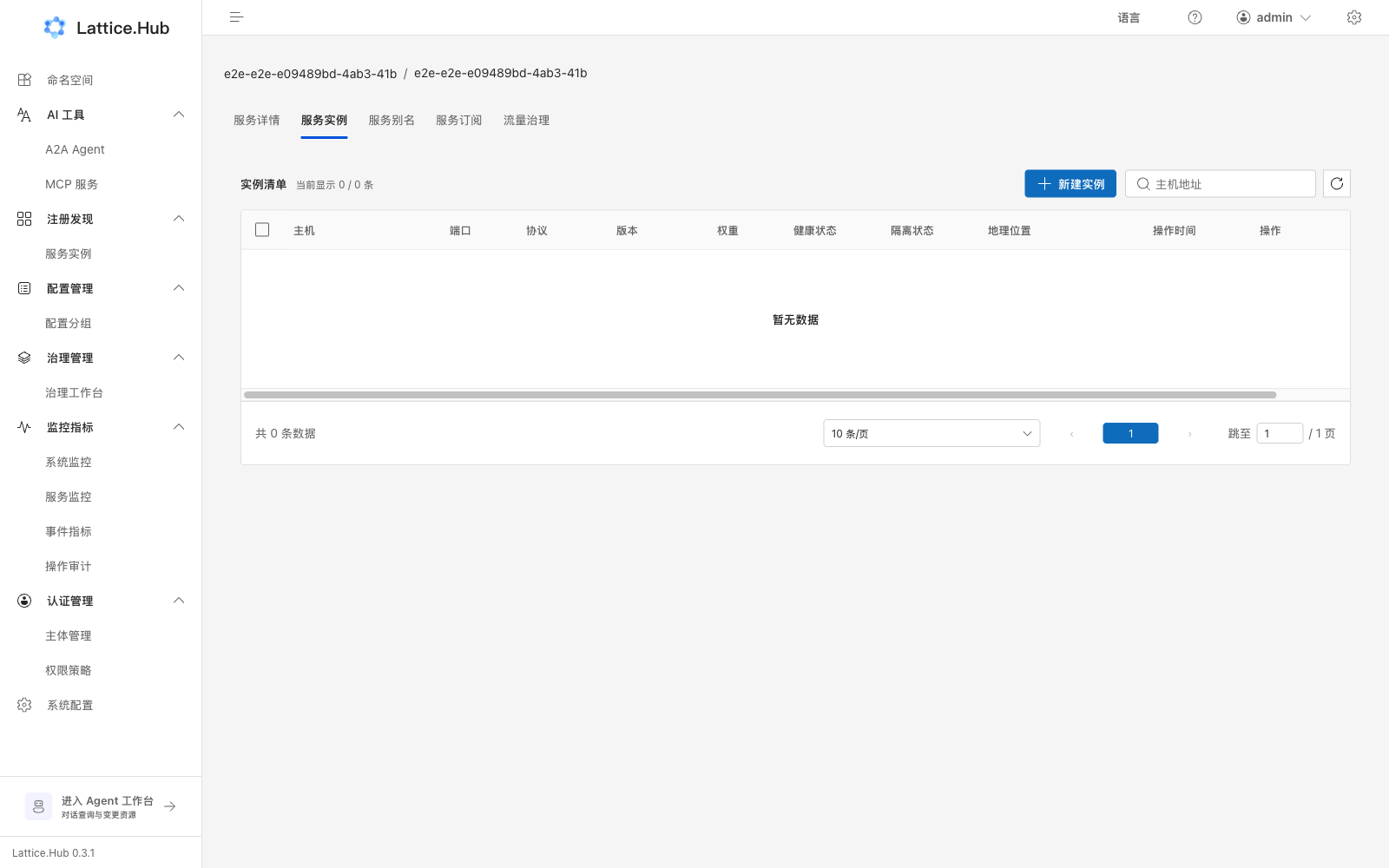
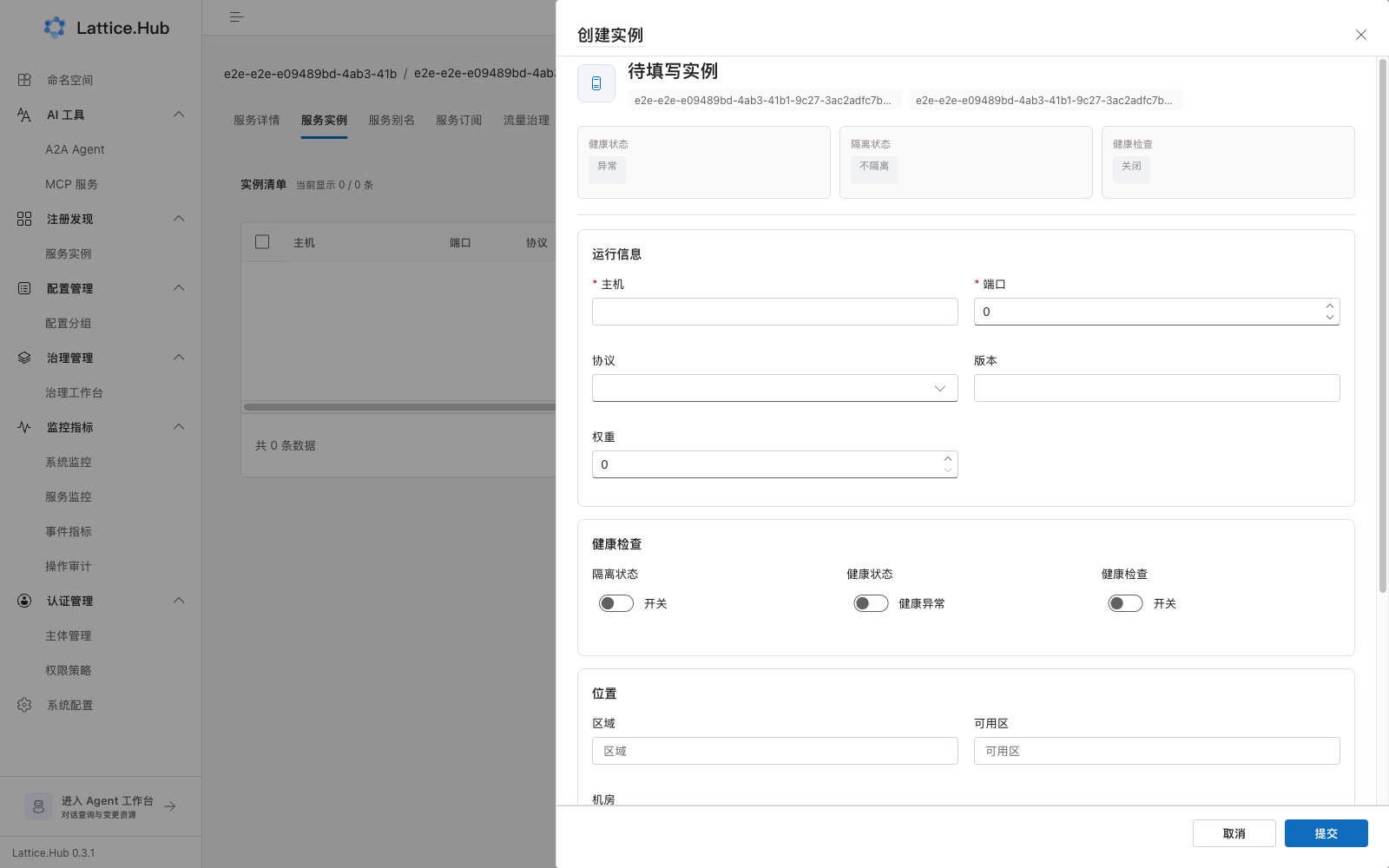
- Open the Instances tab; search by host if needed.
- Create or edit instances.
- Common fields: host, port (read-only when editing after create), protocol (TCP/UDP/HTTP/gRPC/DUBBO), version, weight (0–100), location, instance labels.
- Toggles: isolate, health, health check on/off.
Health-check types:
| Type | Fields | Notes |
|---|---|---|
| Heartbeat | TTL (1–60s) | Not selectable at create (only when editing later) |
| TCP probe | Interval (1–60s) | |
| HTTP probe | Path (for example /health) + interval | Path required |
Aliases
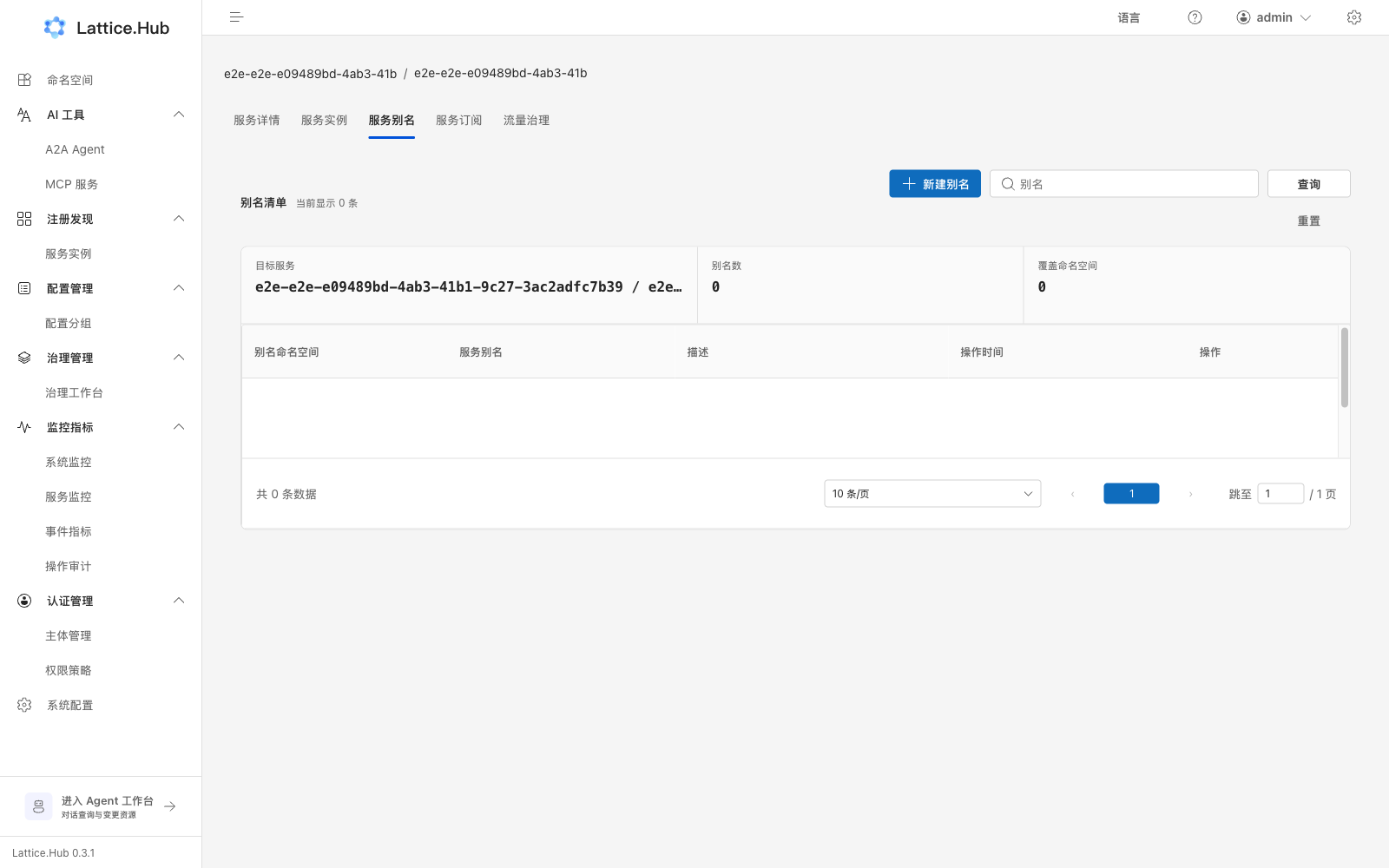
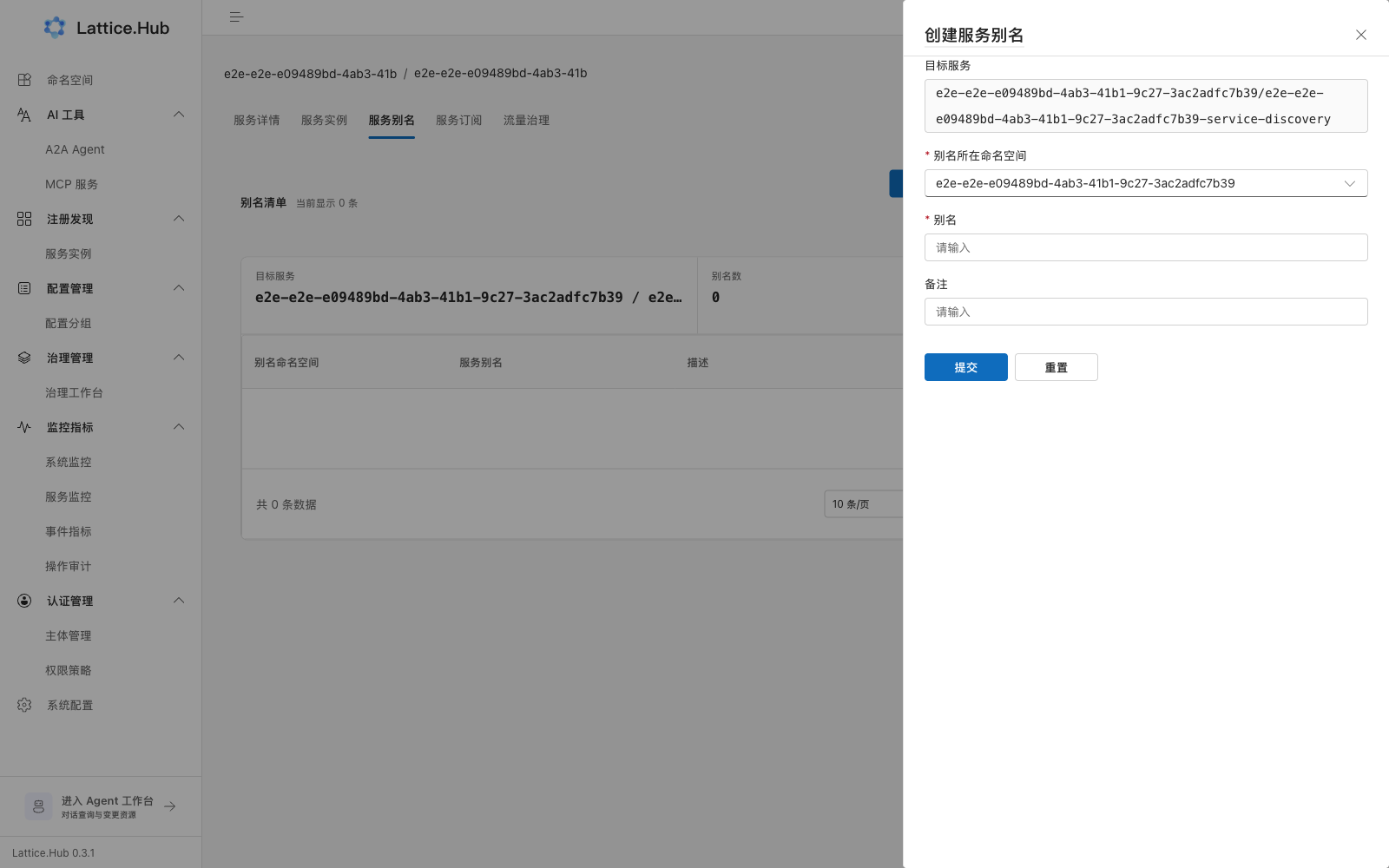
- Open Aliases → “Create alias”.
- Fill target service, alias namespace, alias name, notes.
- Alias rules: start with a lowercase letter; lowercase letters/digits/hyphens only; unique in the namespace.
- View, copy, or delete.
Subscriptions
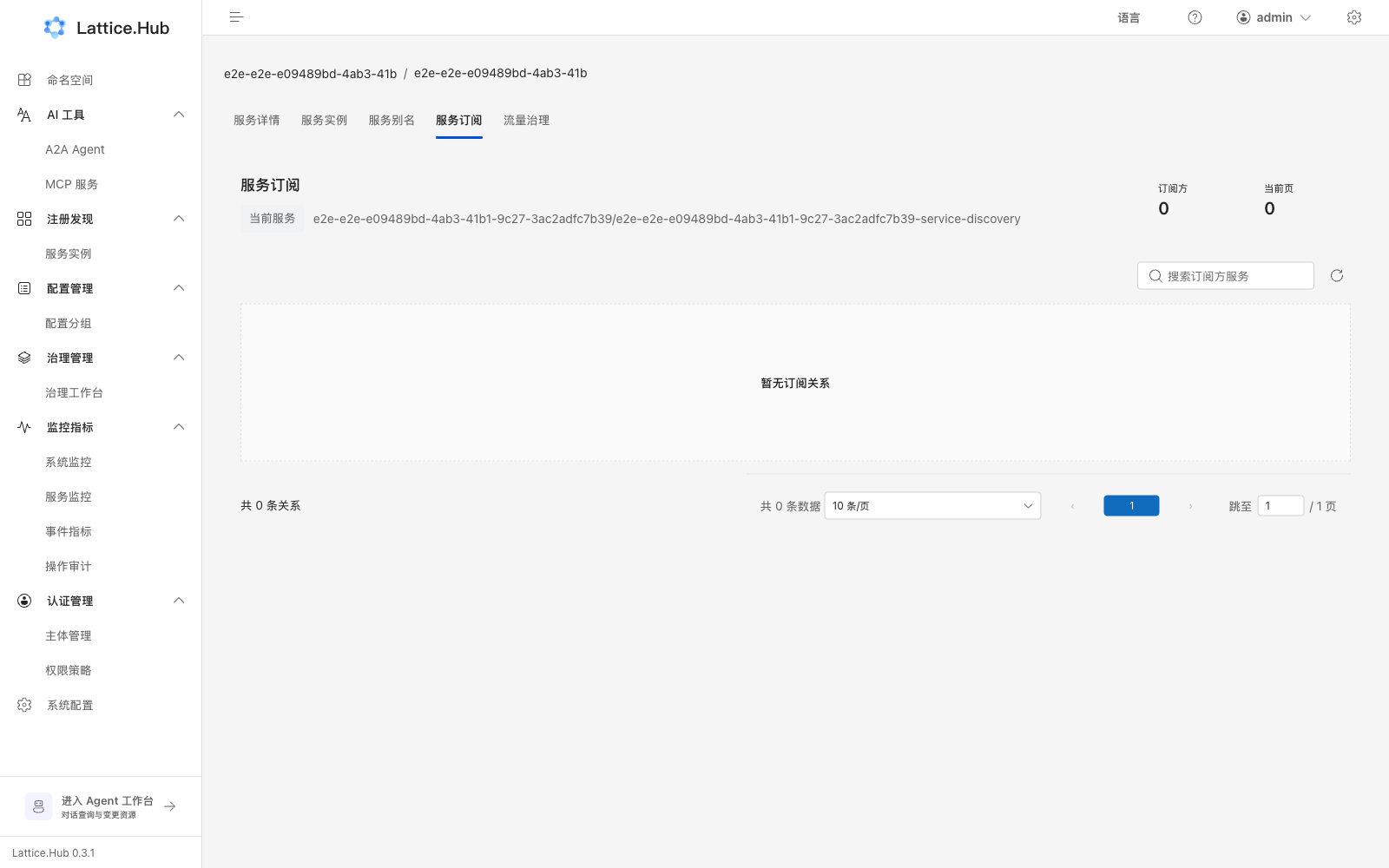
Read-only view of who subscribes to this service and what it subscribes to. Empty state: no subscription relationships. Subscriptions are not created here.
Traffic governance (in-service entry)
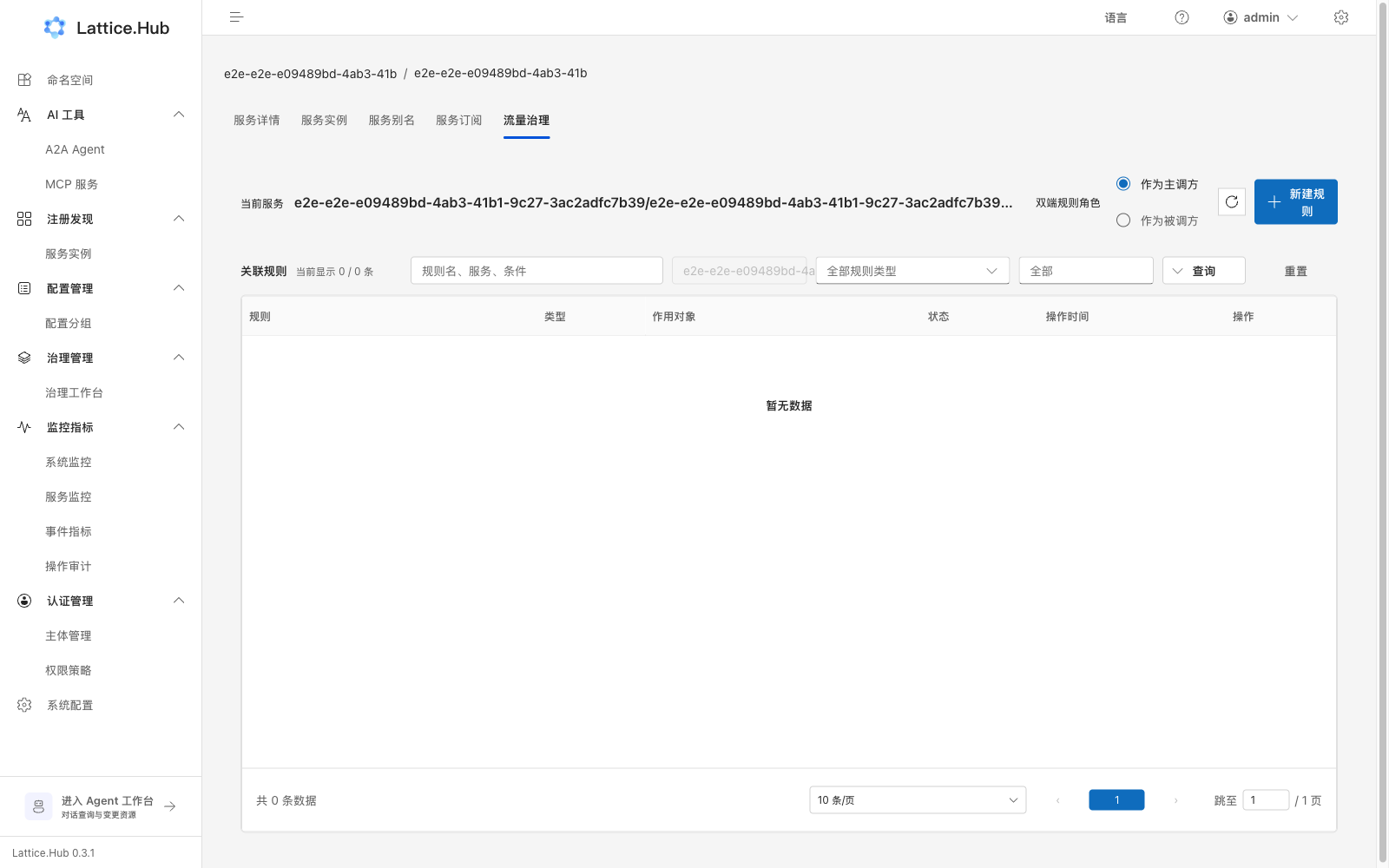
Switch “as caller / as callee” and associate rules. Full per-type guides: Governance.
Documentation boundary
The Console currently has no standalone Service Contract management page. If ServiceContract appears as a policy resource type, that does not imply a contract CRUD UI here.