
GuidesUsing the ConsoleGovernance
Governance overview
Entry points for nine rule families, three detail tabs, full/gray publish, and per-type guides.
Menu: Governance → Workbench (/governance/workbench). Also reachable from the service detail “Traffic governance” tab.
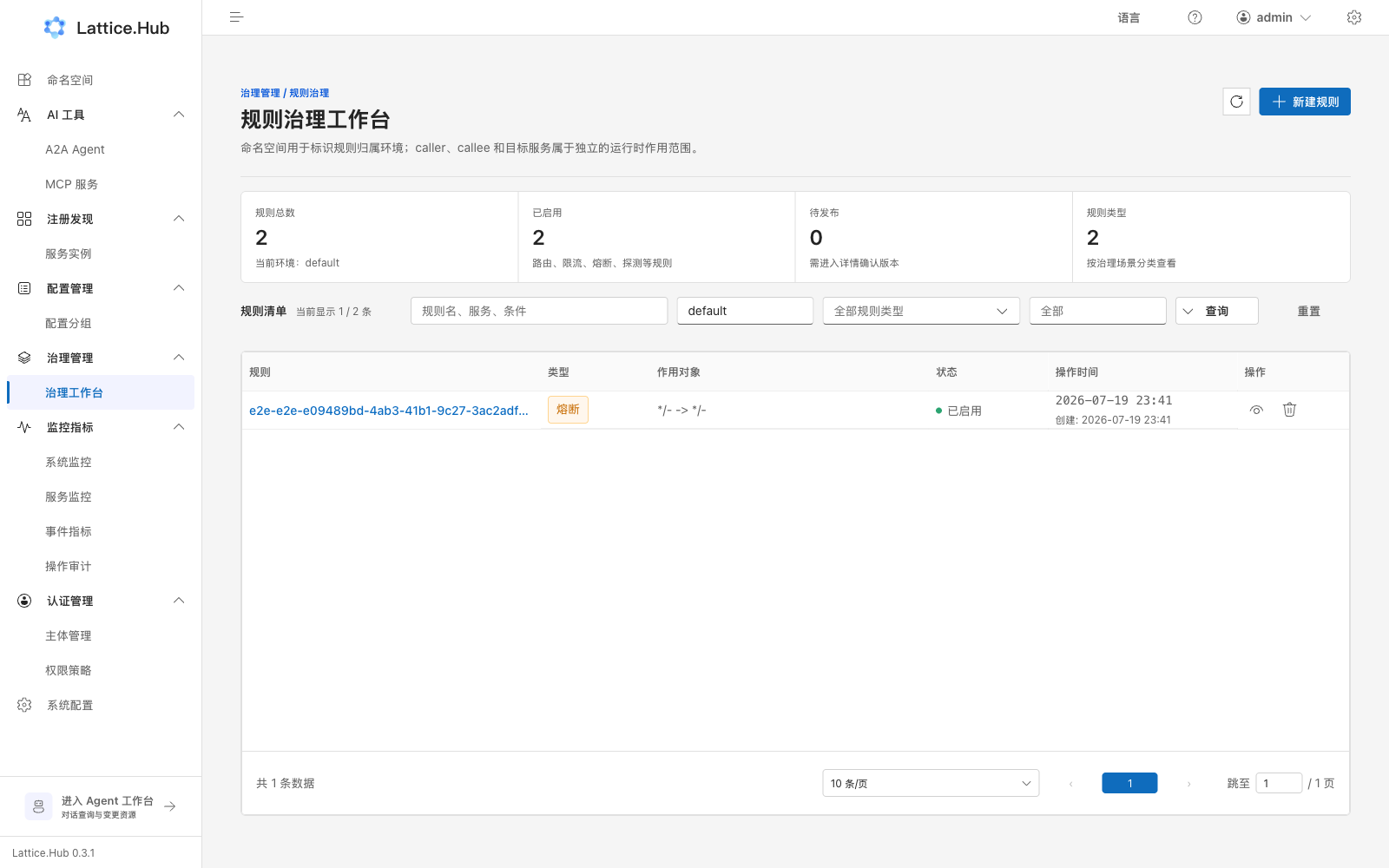
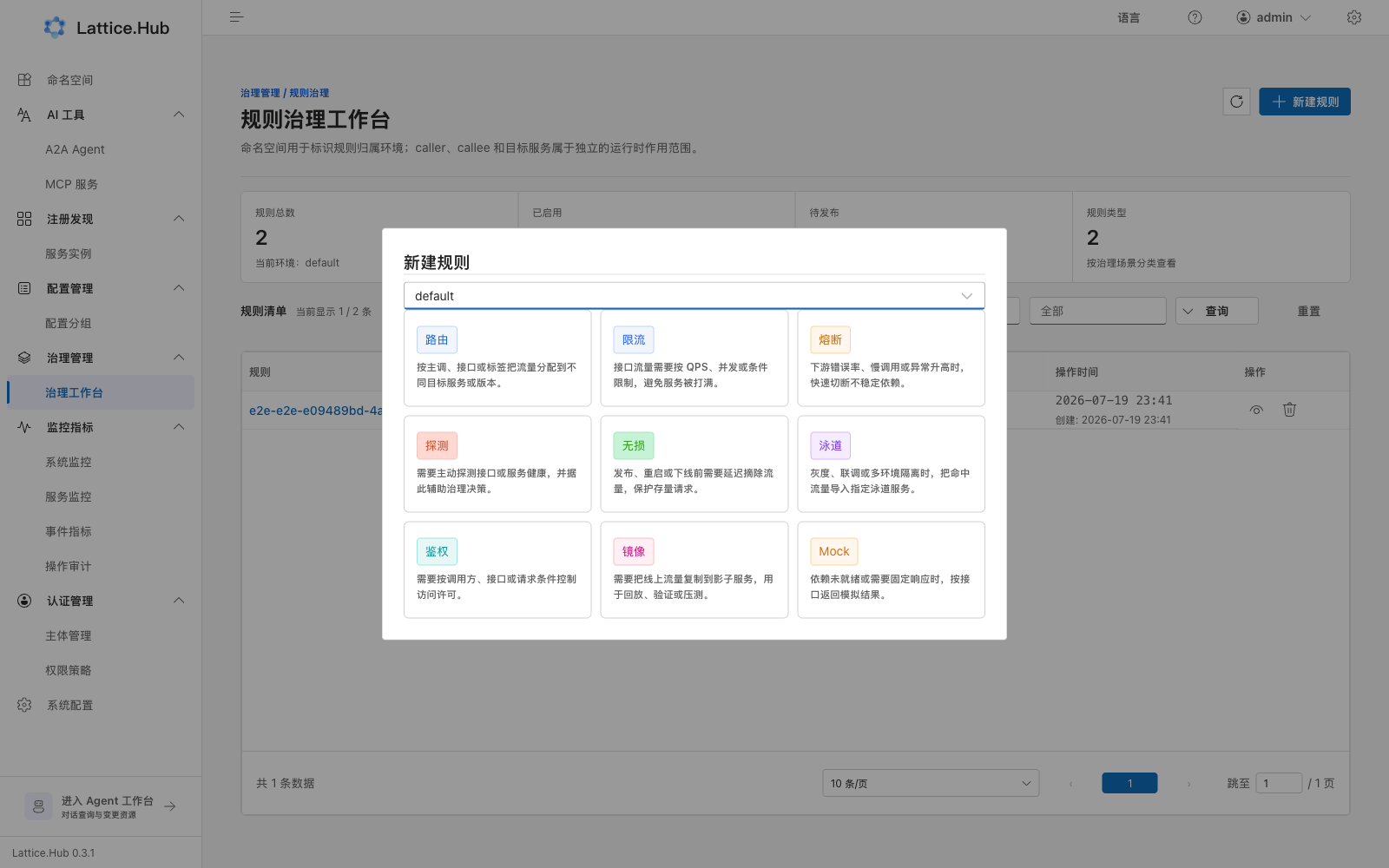
Workbench list
Page header: “Rule governance workbench”.
- Summary: total / enabled / pending publish / rule-type count.
- Filters: environment, rule type, status, search.
- “Create rule” opens the type wizard.
- Open detail or delete (gated by permission and
editable/deleteable). - Resource Authorize when needed.
Embedded service workbench can switch “as caller” / “as callee”.
Per-type guides
| Type | Wizard label | Guide |
|---|---|---|
| Route | Route | Route rules |
| Rate limit | Rate limit | Rate limit |
| Circuit break | Circuit break | Circuit breaker |
| Probe | Probe | Fault detect |
| Lossless (graceful online/offline) | Lossless | Lossless release |
| Auth | Auth | Traffic security |
| Mirror | Mirror | Traffic mirror |
| Mock | Mock | Traffic mock |
| Lane | Lane | Lane rules |
Three detail tabs
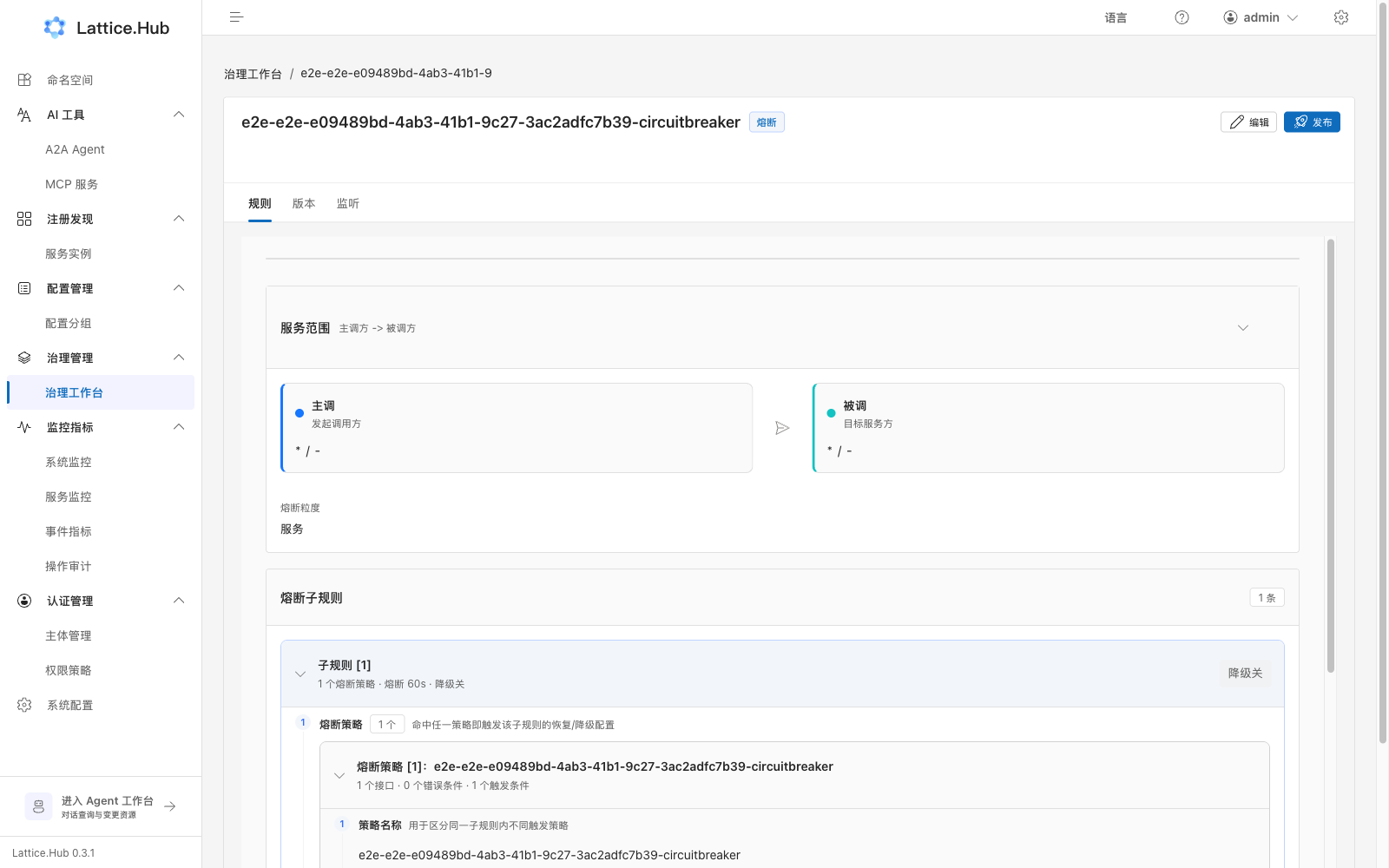
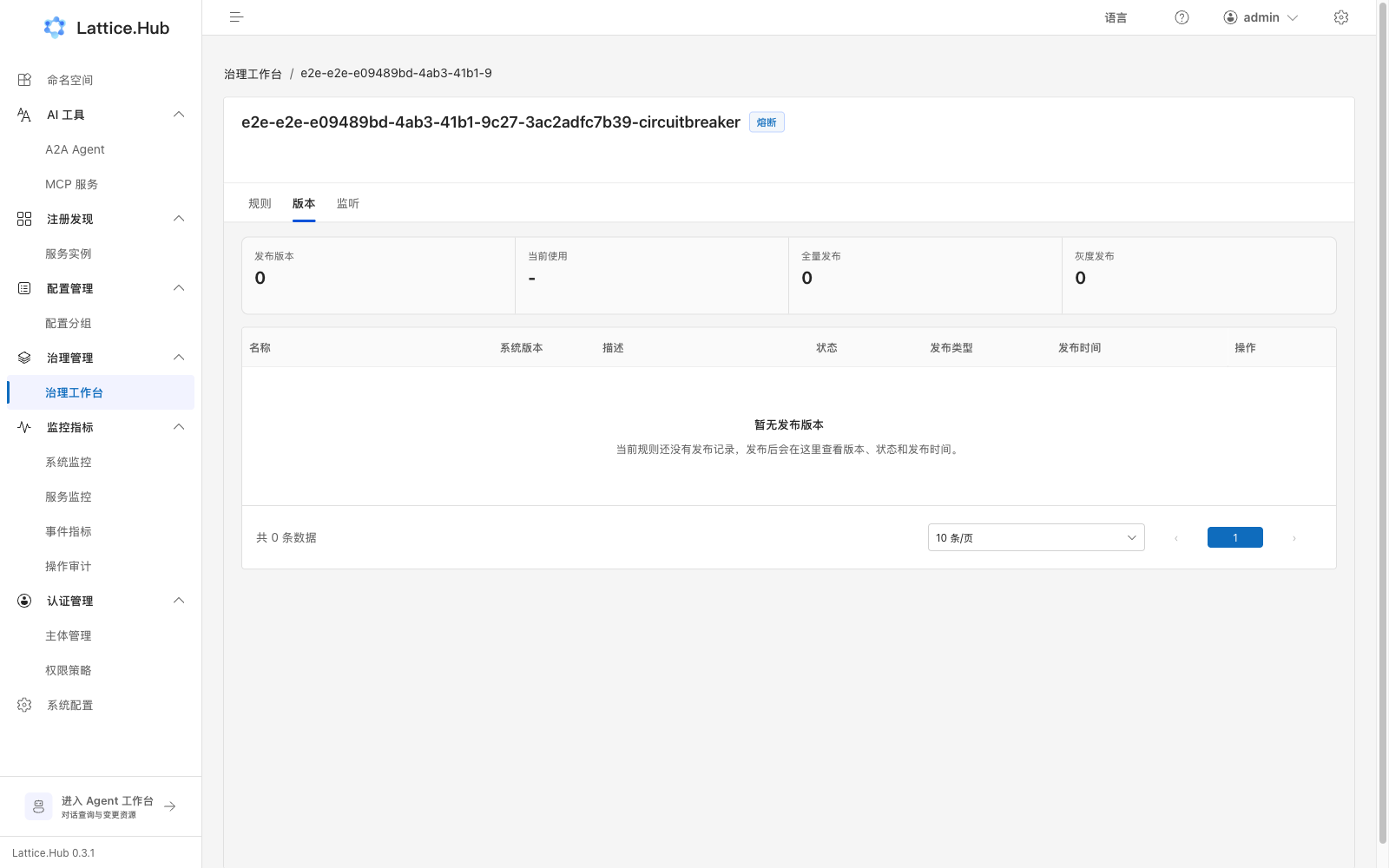
| Tab | Purpose |
|---|---|
| Rule | Edit body and save |
| Versions | Releases, rollback, delete |
| Listeners | Client listeners (may be disabled while creating) |
Sticky actions: Edit / Save / Discard / Publish. Save writes the draft; Publish opens the release drawer.
Publish (shared)
- Click Publish outside edit mode → “Rule publish”.
- Version name (required ≤64), description (≤255).
- Full or gray publish.
- Gray needs ≥1 client-label condition; keys unique; match is OR (any label).
- Labels: client IP / client ID / client language.
Do not mix with configuration’s four-tab release model.
Boundaries
- Save ≠ publish for most types.
- Lane exception: enable state is pushed to the data plane on save. See Lane rules.
- Edit rights ≠ Publish rights.