
Authorization
Users, groups, roles, tokens, access policies, and in-place resource authorization.
Menus: Auth → Principals (/auth/principals), Policies (/auth/policies). Resources also expose “Authorize” entry points.
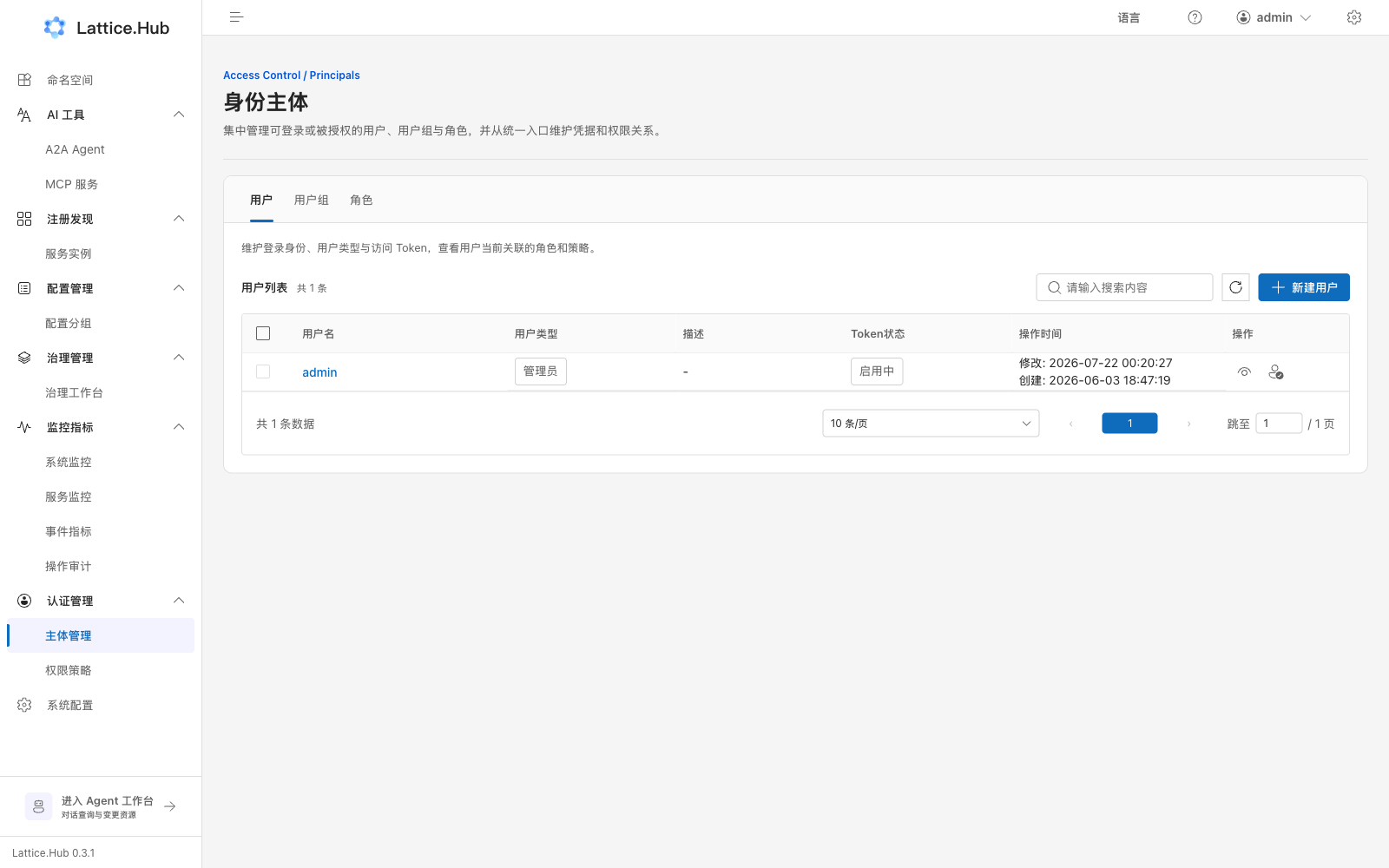
Principals
Page header “Identity principals”, three tabs: Users / Groups / Roles.
Users
- “Create user” for an account.
- List shows token status (enabled / disabled).
- “View token” opens a read-only dialog with copy.
- On user detail “Access credentials”:
- Copy
- Reset (success toast that credentials were reset)
- Disable / enable
- Edit can toggle “Token enabled”.
Groups
- “Create group” and maintain members.
- Same view / copy / reset / enable-disable for group credentials.
- Batch delete when permitted.
Roles
- Custom roles: create, edit, delete.
- Built-in roles (admin, full read, full write, and similar): UI allows adjusting user/group membership only; do not treat them as freely editable custom permission models.
Access policies
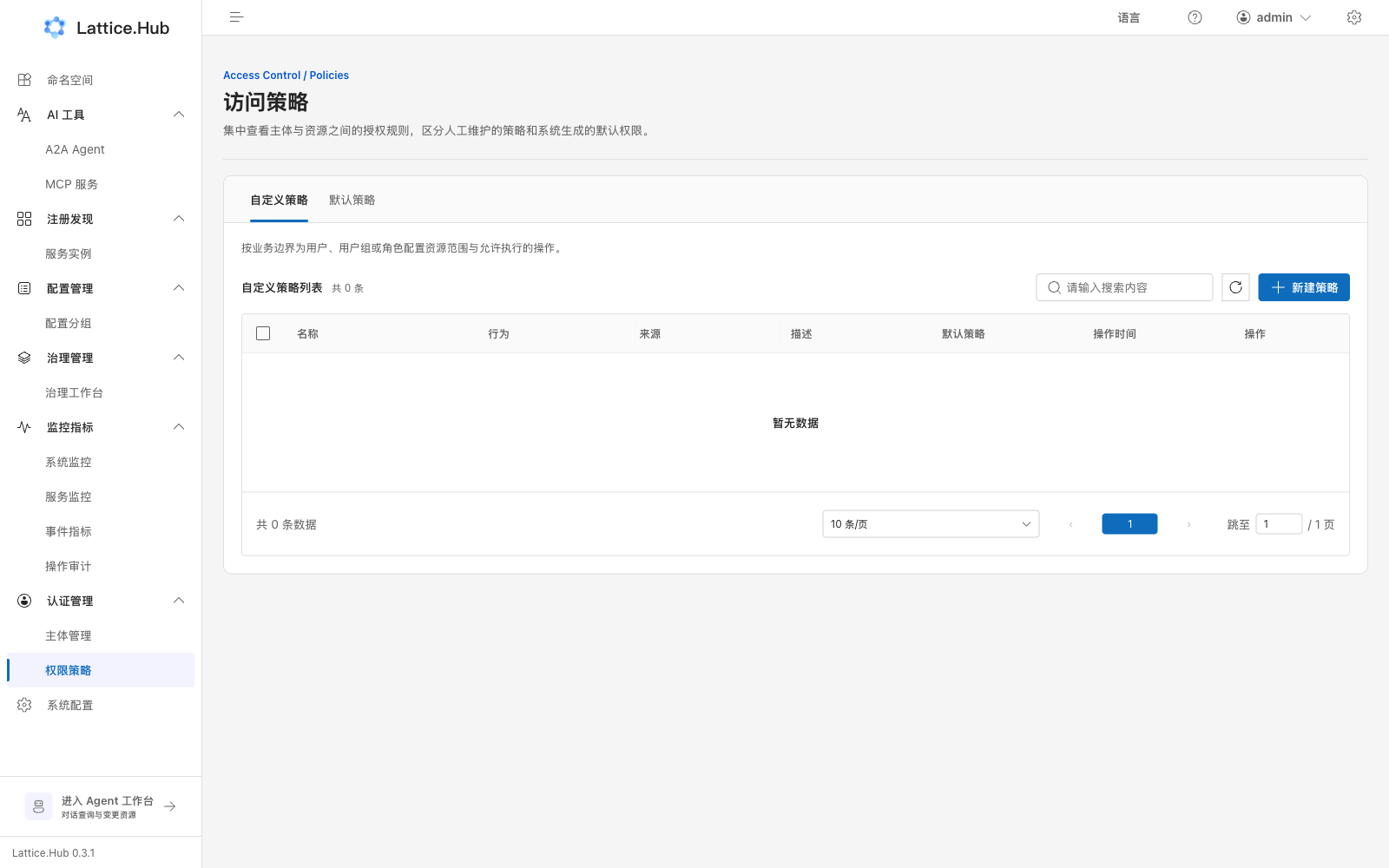
Path: /auth/policies, header “Access policies”.
- Tabs: Custom policies / Default policies.
- “Create policy”: name, effect, resource scope, principals, and so on.
- List shows type, source, default flag, timestamps.
- Open detail to edit or delete; batch-delete custom policies when allowed.
Policy resource types may include services, config, governance rules, MCP, A2A, and a ServiceContract action resource—that does not mean the Console has a service-contract management page.
In-place resource authorization
On namespaces, config groups/files, governance rules, MCP, A2A, and similar pages, “Authorize” opens a drawer binding principals to that resource’s operable scope. This is a second path beside the global policies page; check both when troubleshooting.
Recommended cadence
- After bootstrap with the main account, create day-to-day platform accounts immediately.
- Grant publishers the matching Publish actions instead of sharing the main account.
- On token leak, reset and disable the old credential immediately.
- Close temporary “everyone can write” debug policies.
Auth boundaries
- Edit rights ≠ Publish rights.
- Buttons may disable when the server marks
editable/deleteablefalse. - See Authorization and resources.