
GuidesUsing the Console
MCP services
Register MCP Servers under AI tools, manage tools, and authorize access.
Menu: AI tools → MCP services (/ai/mcps). This is Registry capacity—not the same entry as the separate Pole Agent workspace at the bottom of the sidebar.
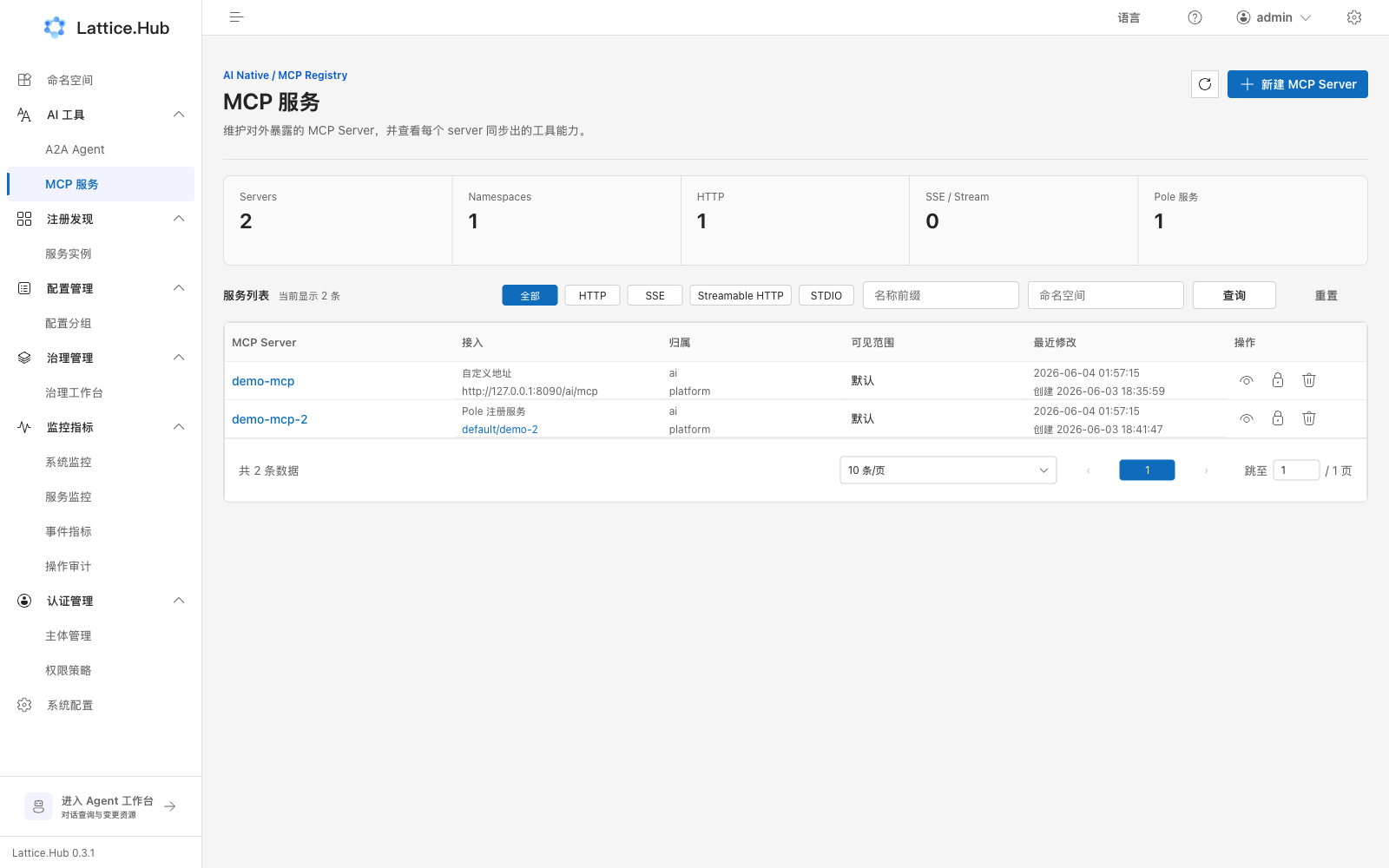
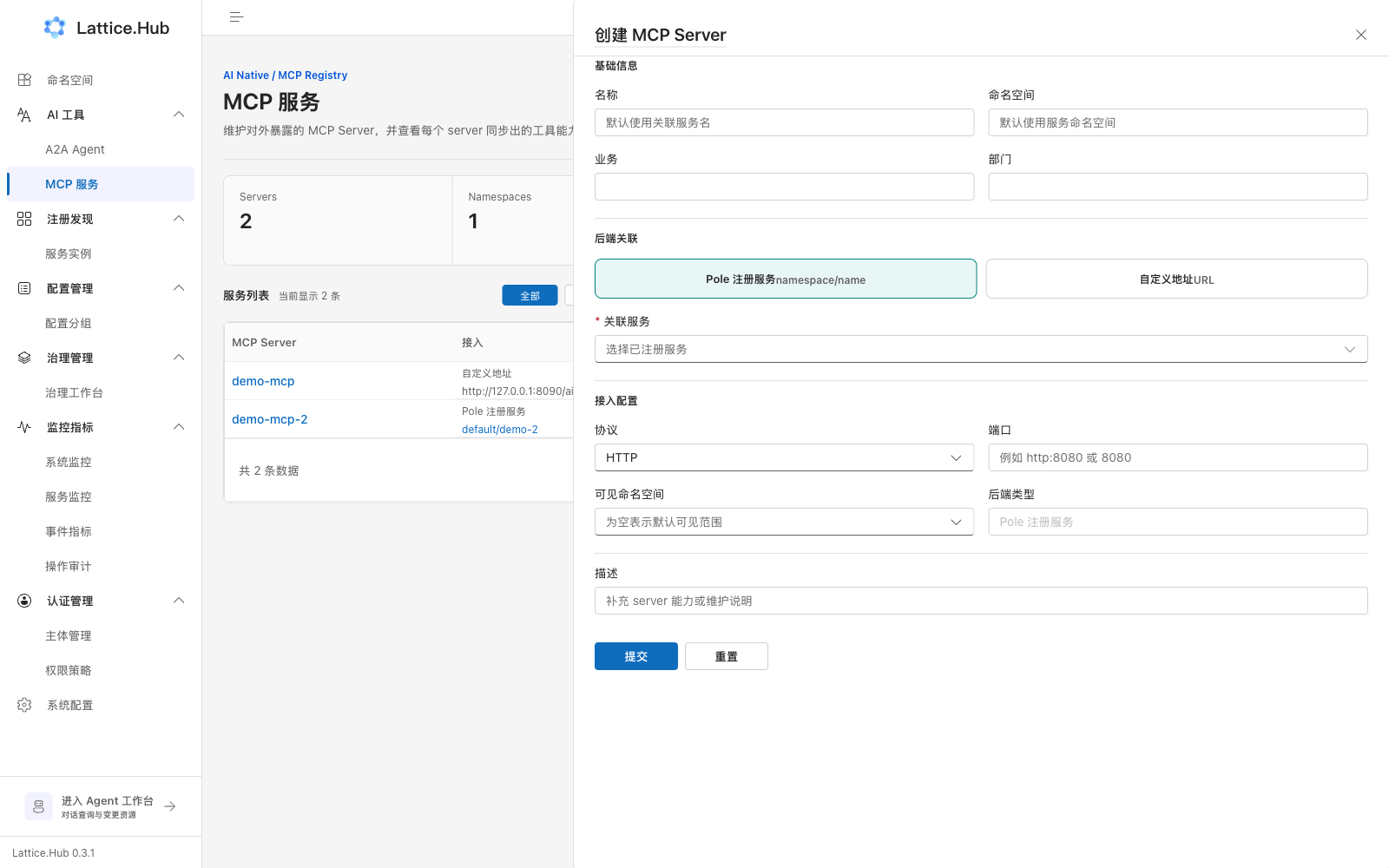
List actions
- Filter by namespace and protocol; search by name.
- “Create MCP Server”.
- Inspect summary metrics: Servers / Namespaces / HTTP / SSE·Stream / Pole services, and so on.
- Open detail for tools; authorize; jump to the linked backend service.
Common create fields
Name, namespace, business, department, linked service or custom address, protocol, port, visible namespaces, backend type, description, and similar.
After changes, confirm cache refresh so list and detail agree; grant callers least-privilege read. See Authorization.
Related entries
| Entry | Role |
|---|---|
| This page | Register discoverable MCP Servers / tools |
| A2A Agent | Register Agent Card / skill metadata |
| Pole Agent workspace | Conversational query and config drafts (allowlisted tools only) |