
GuidesUsing the ConsoleGovernance
Route rules
Create and publish custom routes: basics, service scope, match conditions, and destination weights.
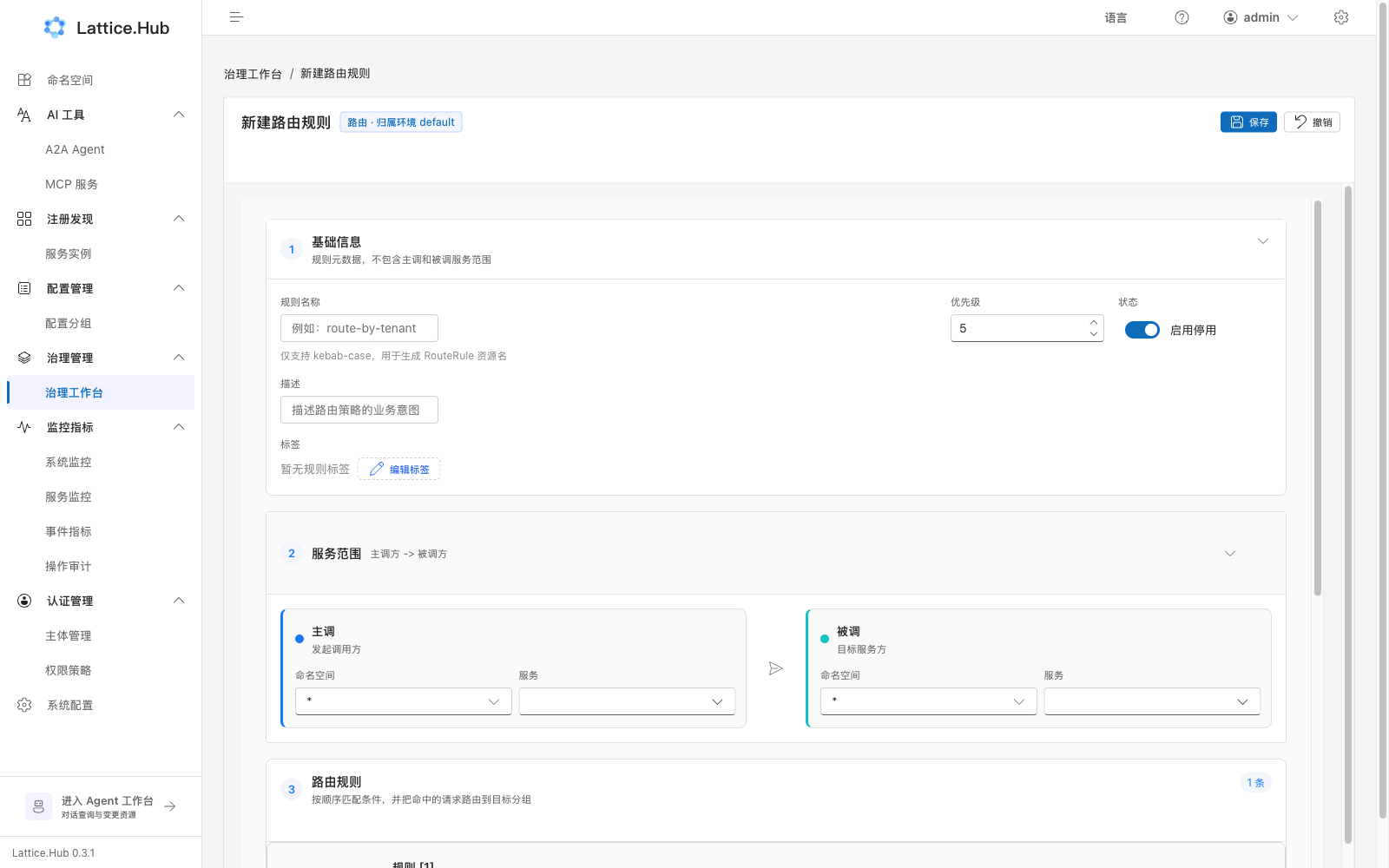
Wizard type: Route (kind=route). Path: /governance/rules/create?kind=route&ruleNamespace=....
Steps
- Workbench → Create rule → environment → Route.
- Fill and save:
- Basics: name (kebab-case), priority, status, description, labels
- Service scope: caller ns/service → callee ns/service
- Route rules: sub-rules with match conditions and destination groups
- Leave edit mode → Publish (full or gray).
Match and destinations
Match parameter types include custom, header, cookie, query, method, caller IP, path. Relation: all / any. Values may be fixed or request parameters.
Destination groups: name, isolate, weight, instance labels. Weights in one sub-rule must sum to 100%.
Checks
| Check | Notes |
|---|---|
| Name | kebab-case |
| Weights | must total 100% |
| Match values | non-empty |
| Groups | no unnamed groups |
Publish and observe
- Resource:
RouteRules - Watch traffic landing on expected versions/instances; keep gray labels reversible