
Configuration
Config groups, file editing, full and multi-gray publish, four release tabs, stop-gray, and subscription queries.
Menu: Configuration → Config groups. Configuration keeps edit state and published state separate; clients consume published results via long polling / SSE.
Key capability: one config file can have multiple active gray releases at the same time. They apply independently; a full publish does not end those grays.
Config groups
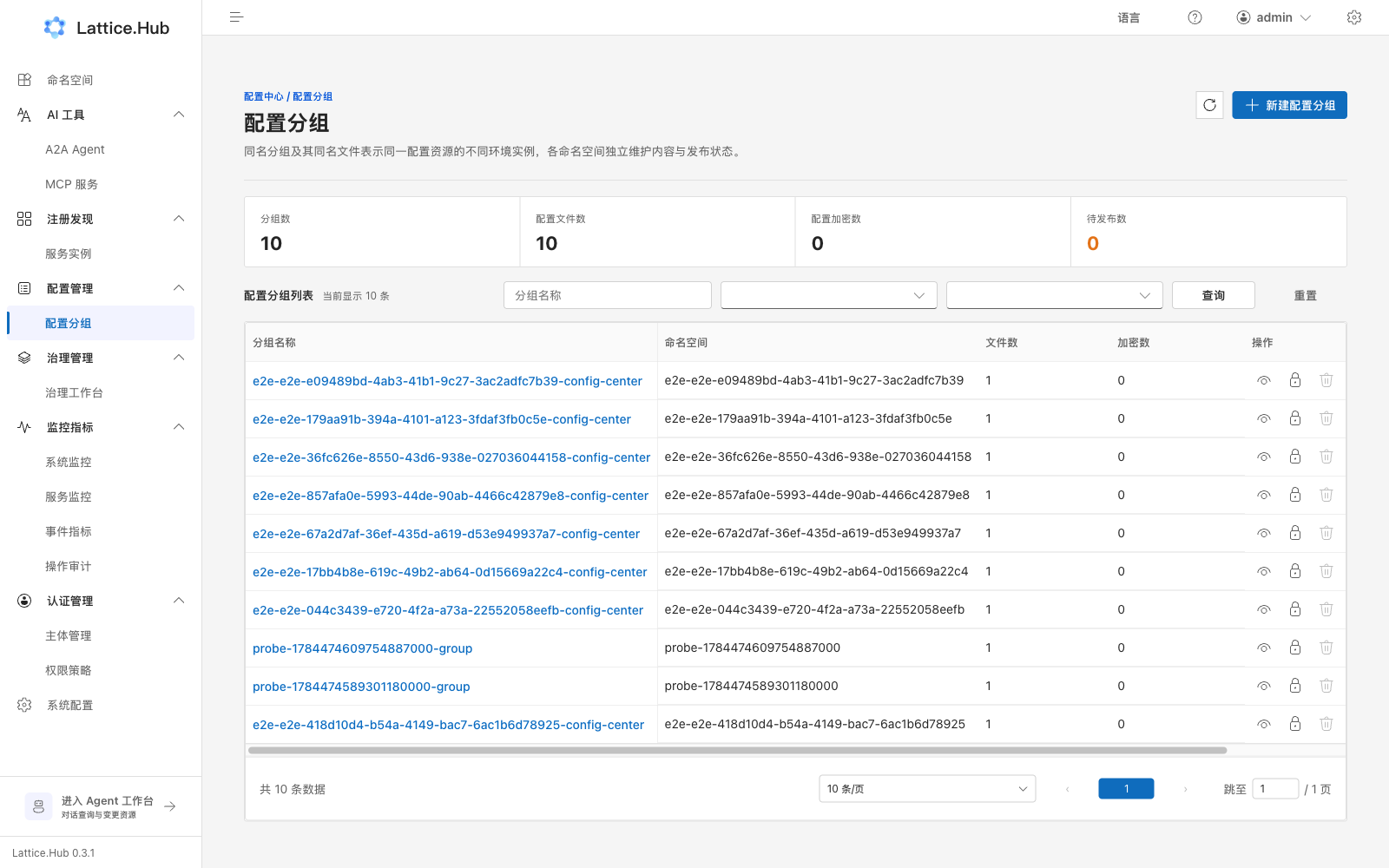
Path: /configuration/group.
- Filter by namespace, publish status (“Pending publish” / “No pending”), and name search.
- “Create config group”: namespace, group name, description, department, business, labels.
- List shows file count, encrypted count, pending markers (“Has changes” / “None”).
- Actions: view files, Authorize, delete.
- Cannot delete a group that still has files (“Delete N config files first”).
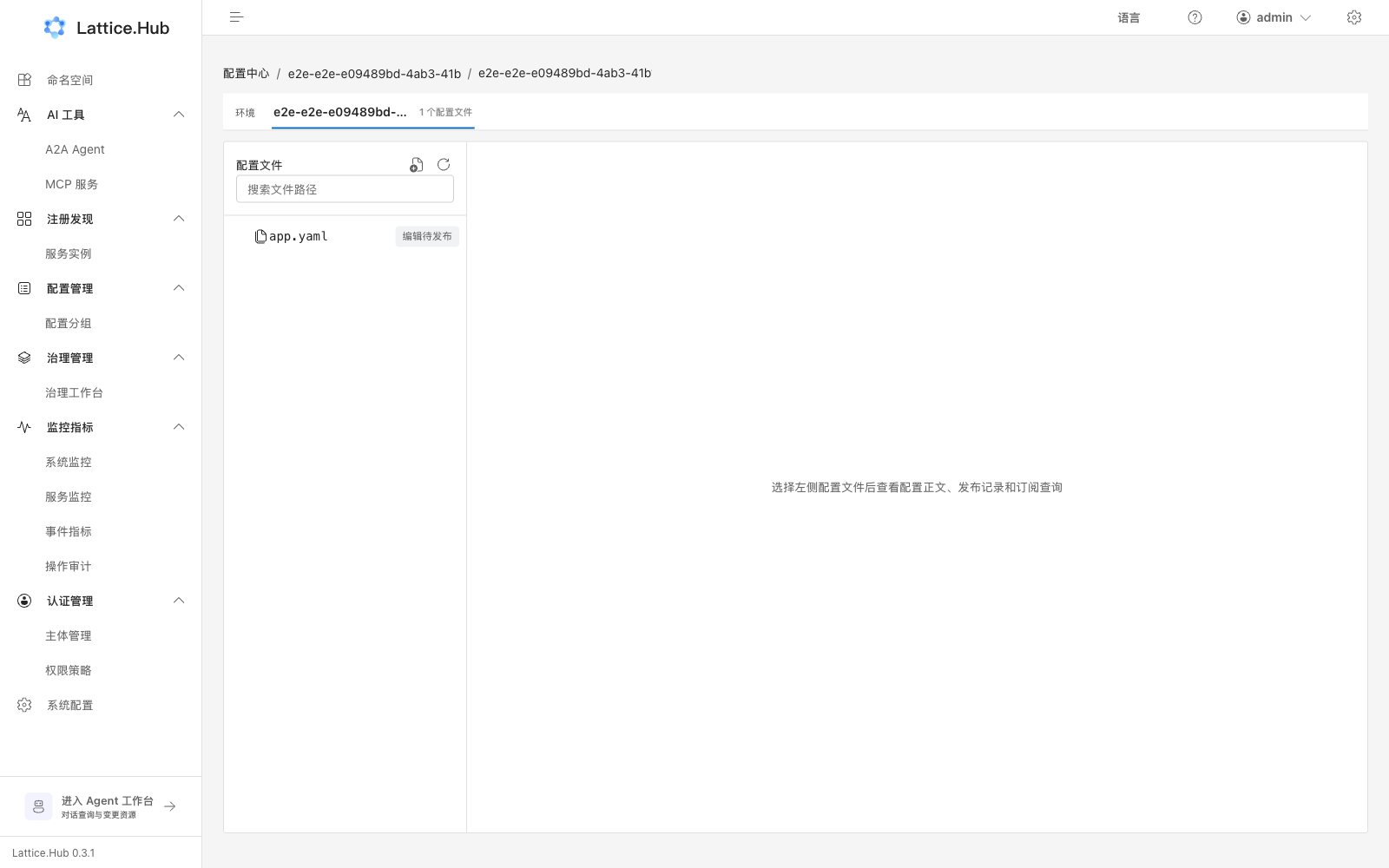
Config files
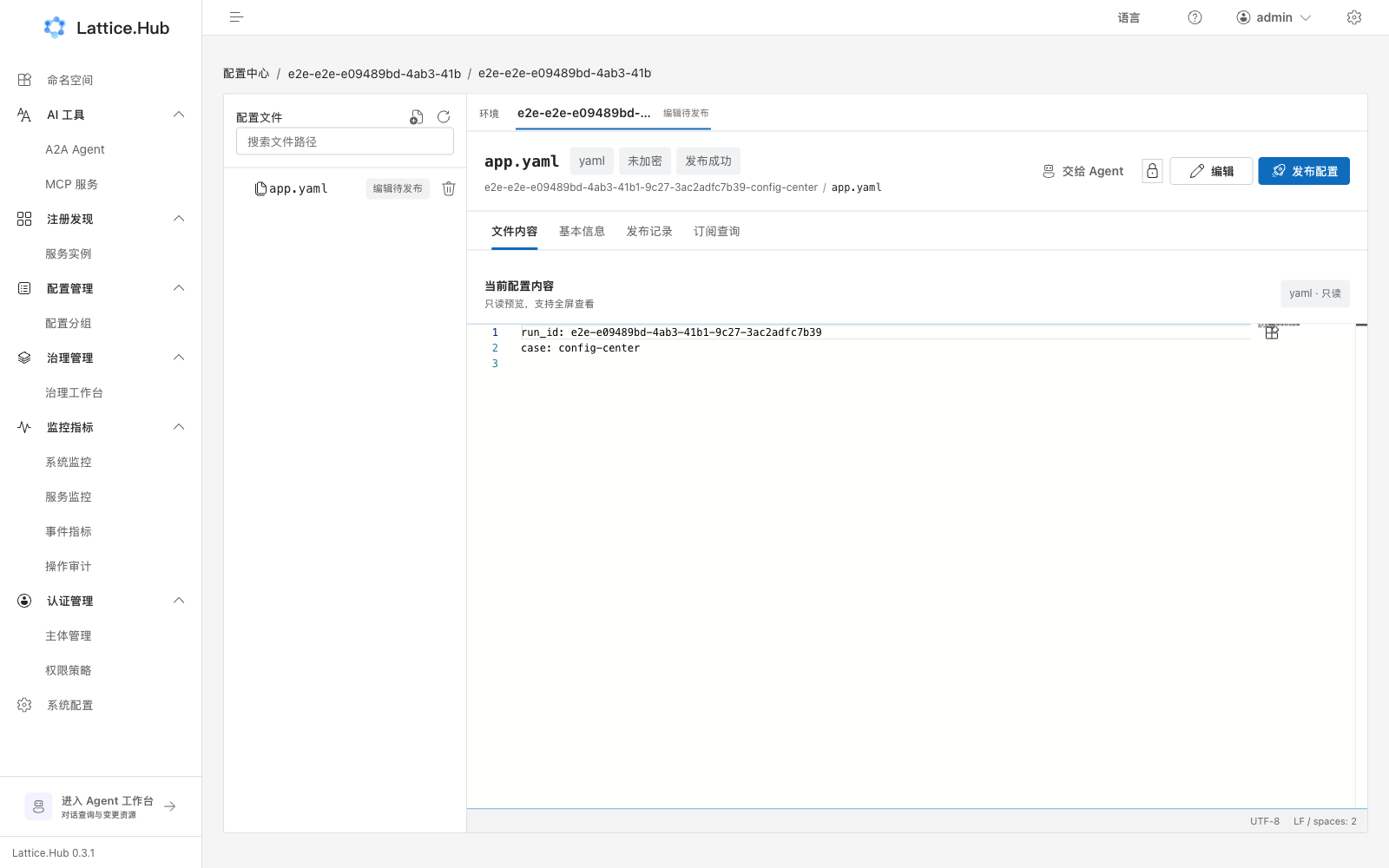
Open a file inside a group:
| Control / tab | Role |
|---|---|
| Edit / Save draft | Save body as formal draft (edit state) |
| Discard | Drop unsaved edits |
| Publish | Open publish wizard |
| Hand to Agent | Jump to Agent workspace with file context |
| Authorize | Resource authorization for this file |
| Tab “Content” | Edit or read-only preview |
| Tab “Basic info” | Description, encryption, algorithm, file labels |
| Tab “Release history” | Four release tabs (below) |
| Tab “Subscriptions” | Subscribed clients and gray-hit status |
Limits: max 20,000 characters per file; list page size max 100.
Common status copy: pending publish, gray in progress, publish succeeded/failed, unpublished.
Publish (two steps)
“Publish” opens the “Publish configuration” drawer:
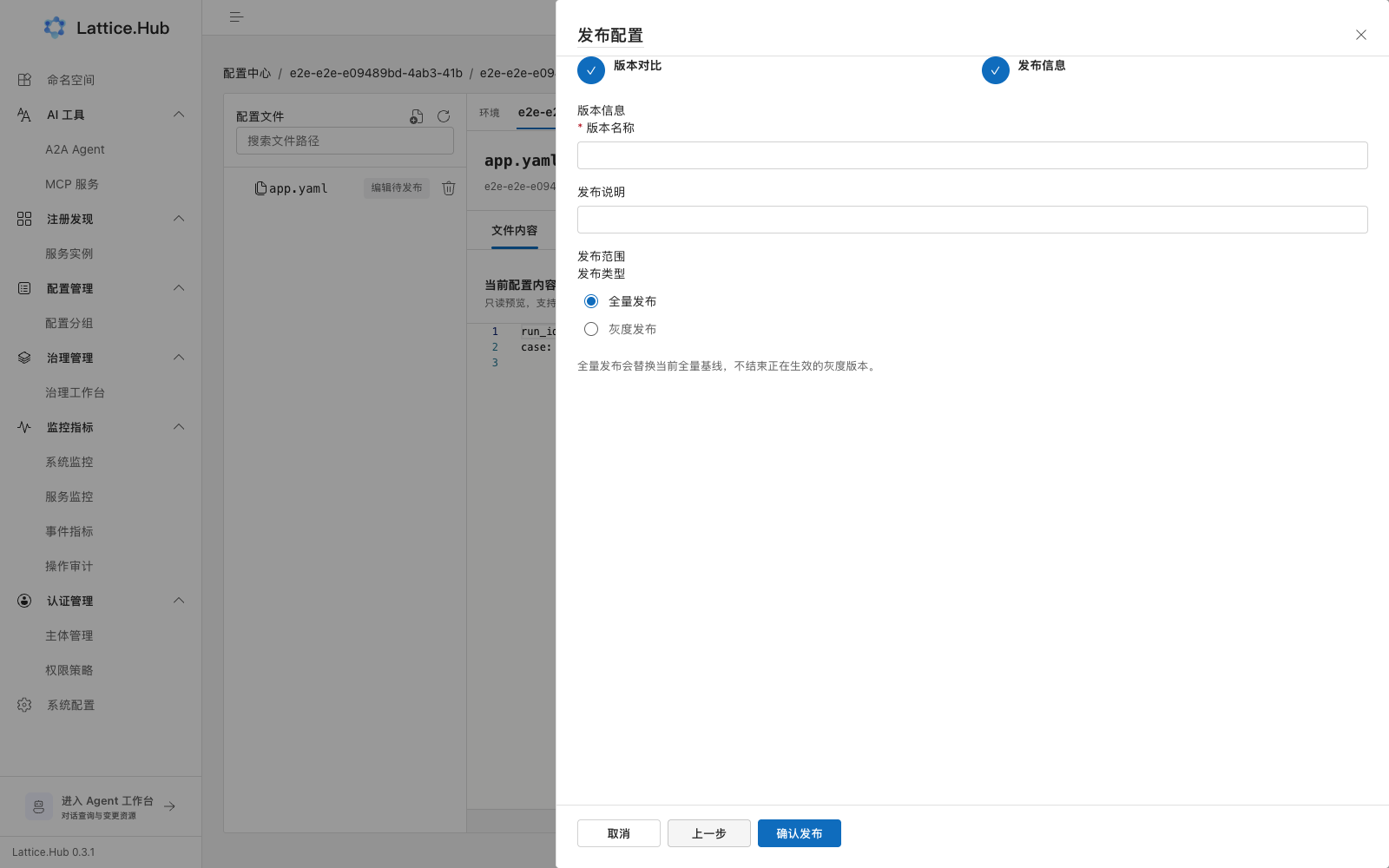
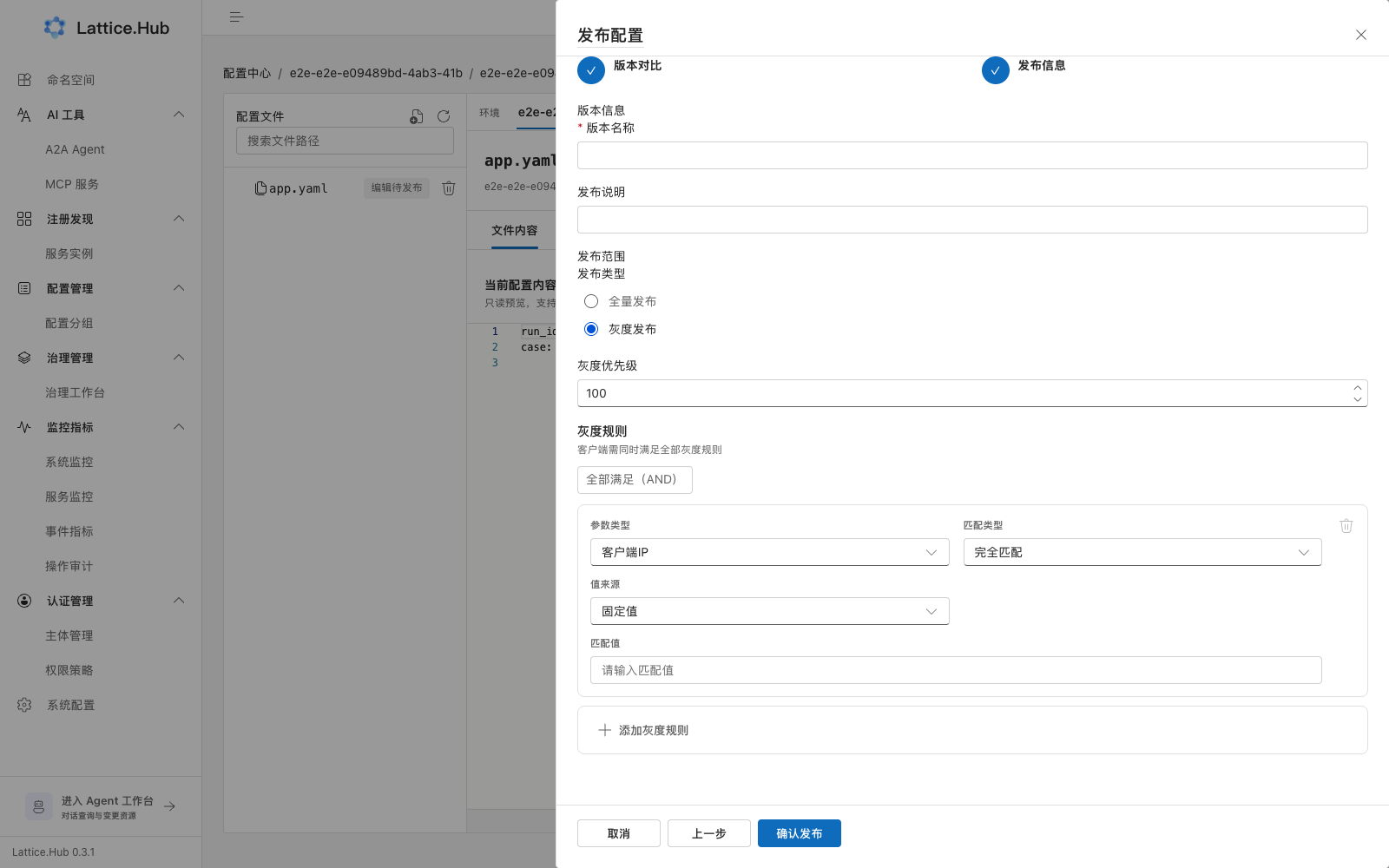
- Version diff → Next
- Publish info
- Version name (required, ≤64; duplicate name prompts republish)
- Release notes (≤255)
- Publish type:
- Full publish: replaces the current full baseline. UI copy: full publish replaces the baseline and does not end active gray versions.
- Gray publish: needs at least one gray rule; optional priority (1–9999, default 100). Within one gray release, clients must match all gray rules (AND).
Confirm with “Confirm publish”.
Multi-gray releases (must understand)
Configuration is not “one gray at a time per file”. The model is:
| Dimension | Semantics |
|---|---|
| Full (normal) | At most one active full baseline per file |
| Gray | Multiple active grays per file, keyed by releaseName |
| Full vs gray | Full publish neither blocks nor ends active grays |
| Gray vs gray | A new gray does not displace other still-active grays |
The Gray releases tab copy states that multiple active gray releases take effect independently and can be submitted as a formal draft or deleted.
Prove it with client pulls, not only the Console list: same file, different tags, different active gray bodies; unmatched clients fall back to the formal release.
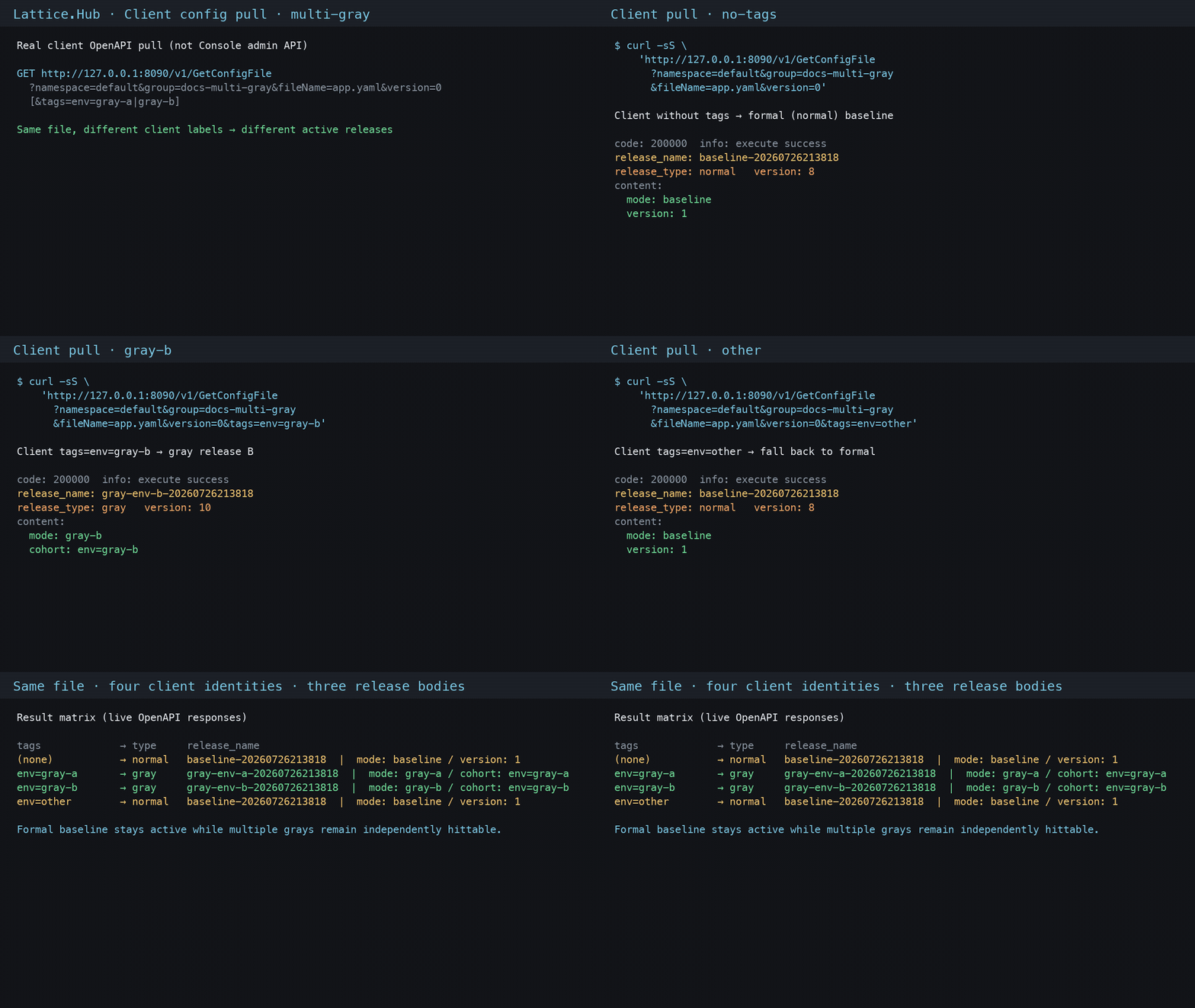
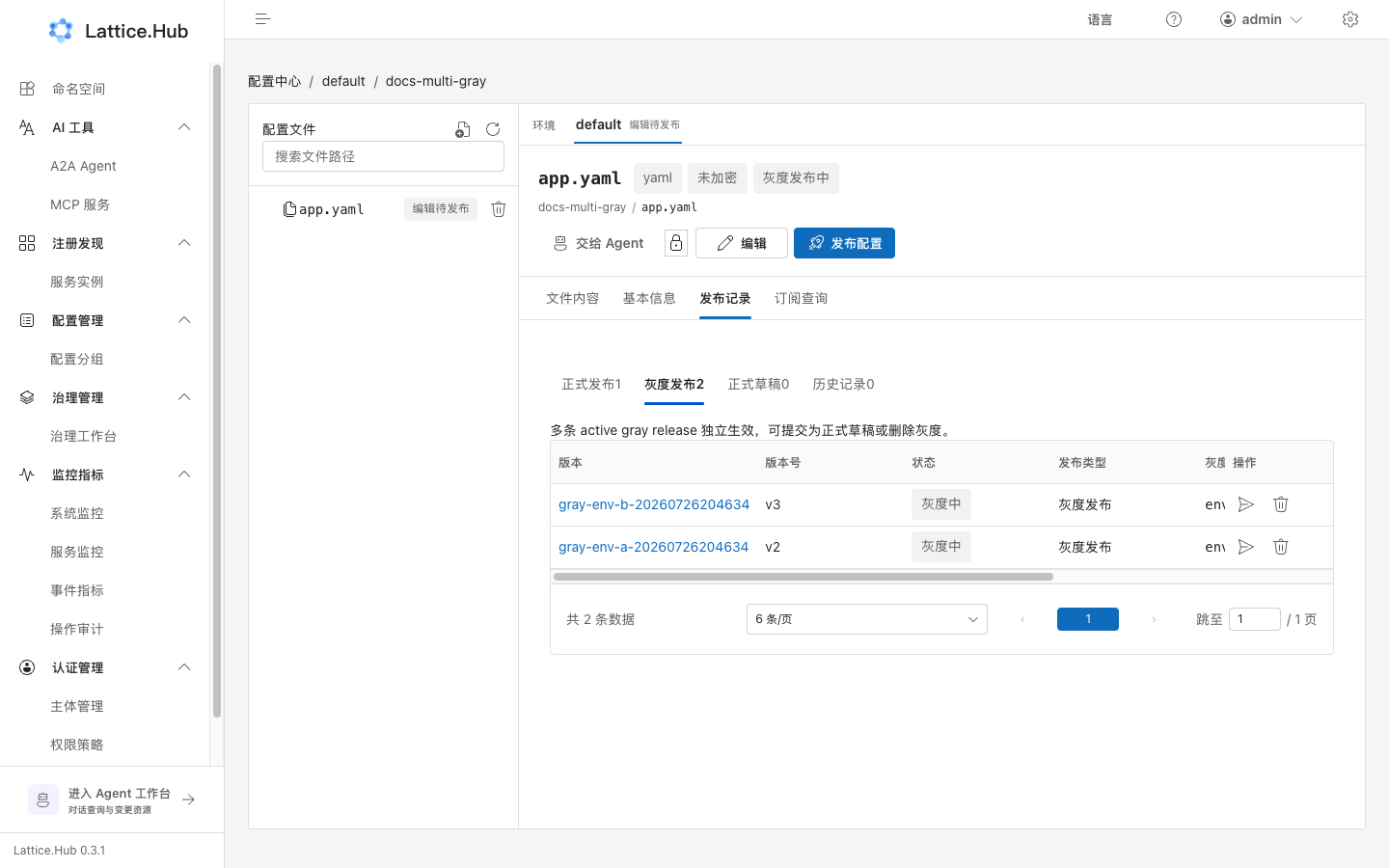
Client OpenAPI: curl different versions
Client HTTP API (default http://127.0.0.1:8090, path /v1/..., not Console /config/v1/...):
# Formal baseline (no tags / unmatched gray)
curl -sS "$CLIENT/v1/GetConfigFile?namespace=default&group=docs-multi-gray&fileName=app.yaml&version=0" \
  | jq '{name:.file.name, release_type:.file.release_type, content:.file.content}'

# Hit gray A
curl -sS "$CLIENT/v1/GetConfigFile?namespace=default&group=docs-multi-gray&fileName=app.yaml&version=0&tags=env%3Dgray-a" \
  | jq '{name:.file.name, release_type:.file.release_type, content:.file.content}'

# Hit gray B
curl -sS "$CLIENT/v1/GetConfigFile?namespace=default&group=docs-multi-gray&fileName=app.yaml&version=0&tags=env%3Dgray-b" \
  | jq '{name:.file.name, release_type:.file.release_type, content:.file.content}'
tags is key=value (repeat tags for multiple labels). Expected:
| Client tags | release_type | Content |
|---|---|---|
(none) or env=other | normal | mode: baseline |
env=gray-a | gray | mode: gray-a |
env=gray-b | gray | mode: gray-b |
Seed + assert in one shot:
./scripts/demo-config-multi-gray.shThe script publishes 1 normal + 2 grays via Console APIs, then calls GetConfigFile with no tags / env=gray-a / env=gray-b / env=other and checks type + content.
How clients resolve
- Match no gray rules → fall back to current full.
- Match exactly one gray → receive that gray content.
- Match multiple grays → control plane picks the newest among matches by version, then mtime.
- Console “gray priority” is shown for publish/list identity; multi-match selection follows version/mtime above (not percentage traffic splitting).
Recommended use
- Use different
releaseName/ gray rules for different client label sets. - After validation, “Submit as formal draft” on the target gray, then full-publish; keep or stop other grays independently.
- Stop-gray is per release: stopping A leaves B active.
Four release tabs
On the file “Release history” tab:
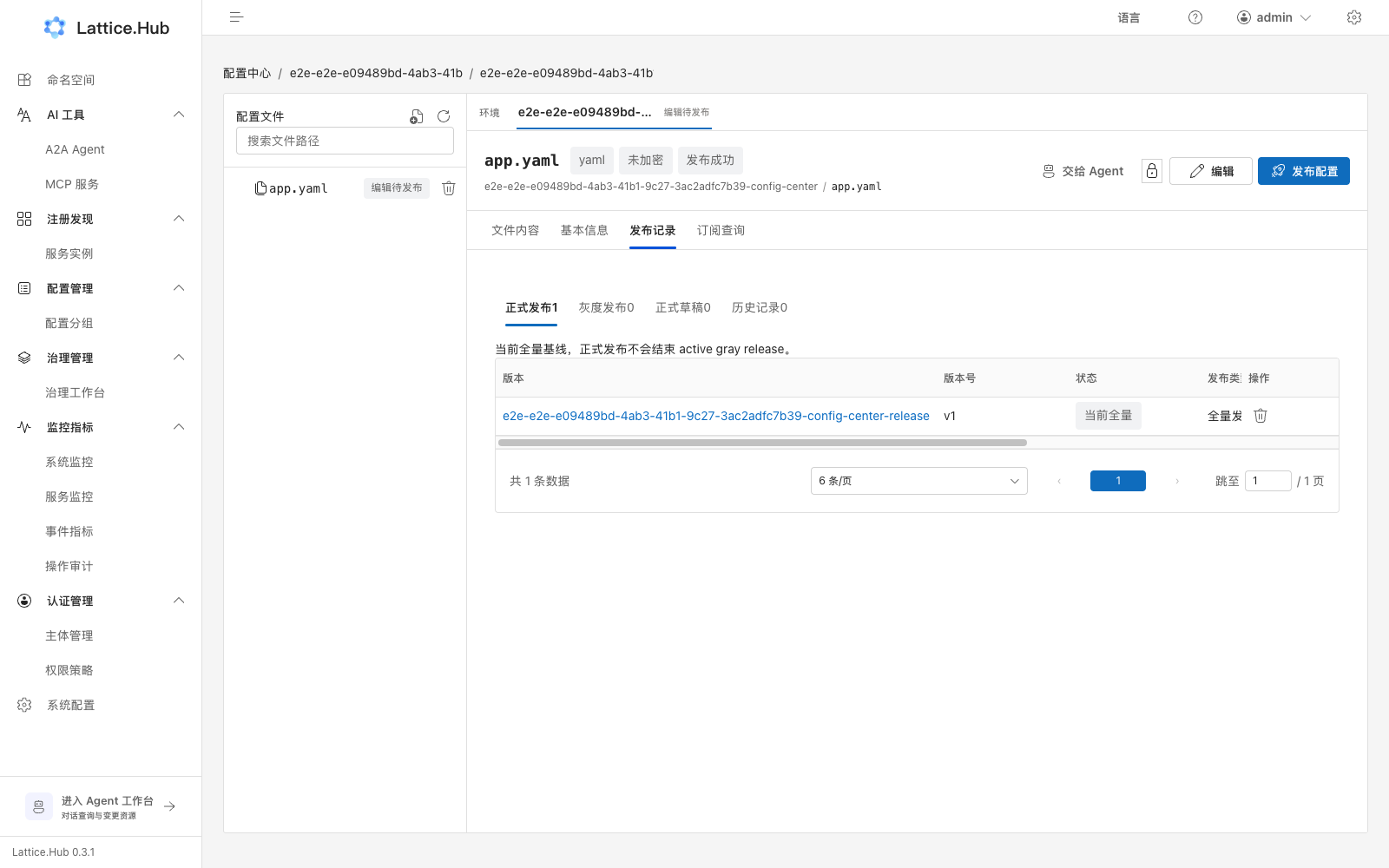
| Tab | Meaning |
|---|---|
| Formal releases | Current full baseline; formal publish does not end active gray |
| Gray releases | Multiple active gray versions can apply independently |
| Formal drafts | From promote-gray or manual edit; not yet visible to online clients |
| History | Archived, rollback-generated, or deleted records |
Common actions
| Scenario | Action | Result |
|---|---|---|
| Stop gray | Gray version → “Delete gray” | Clients that hit that gray fall back to current full; other active grays stay |
| Prepare promote | Gray → “Submit as formal draft” | Creates formal draft; then full-publish; does not auto-stop gray |
| Rollback | History / non-current → “Roll back to this version” | New current full; does not auto-stop active gray |
| Delete current full | Confirm delete | Clients not matching gray may lose config; be careful |
Hand-off from Pole Agent
Agent-confirmed writes only save drafts. You still must return here and run Publish. See Pole Agent workspace.